
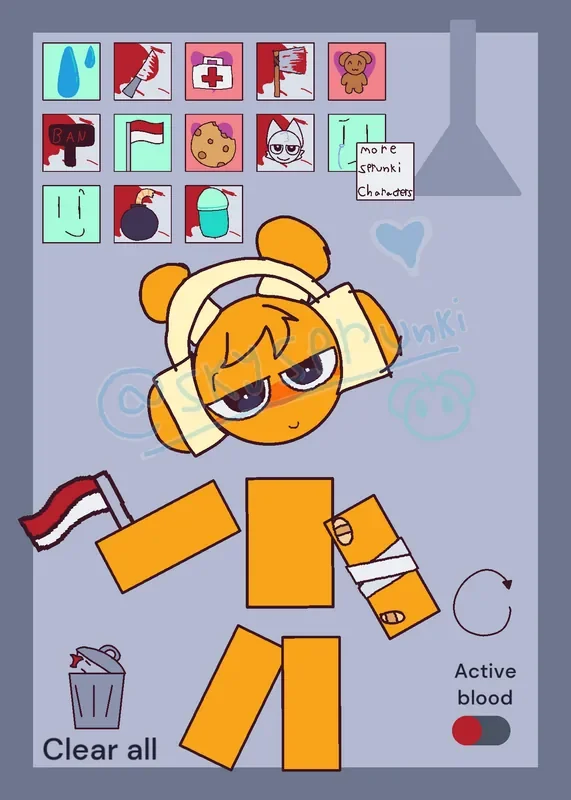
Selecting an icon from the upper-left menu above a pale blue-gray chamber drops heavy items, sharp tools, or snacks directly onto a floating, segmented cartoon figure. In Kick the Buddy but with Oren, there are no high scores to calculate, time limits to outrun, or active health meters to deplete. Instead, this compact ragdoll sandbox focuses entirely on how Oren—an orange Sprunki character featuring a tired expression, oversized headphones, and floating body parts—physically and visually responds when struck, fed, treated, or blasted.
 4 Game Screenshots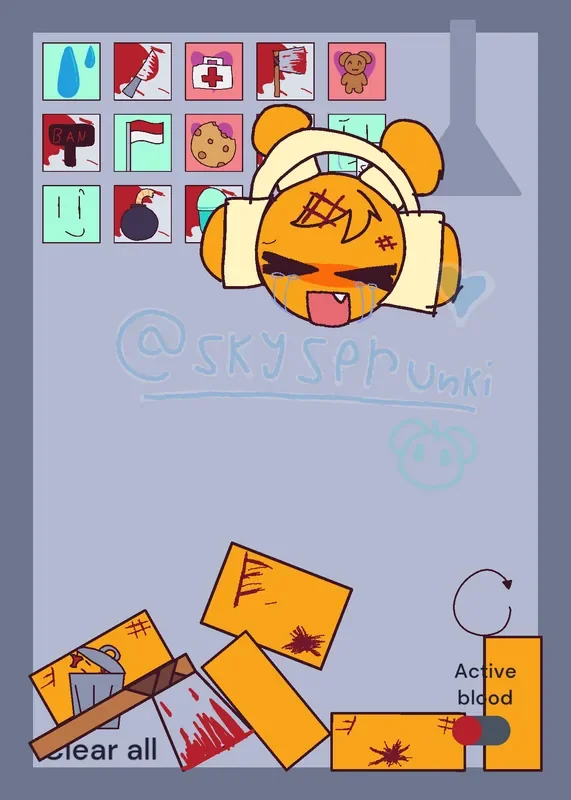
Loose Ragdoll Physics and Object Reactions
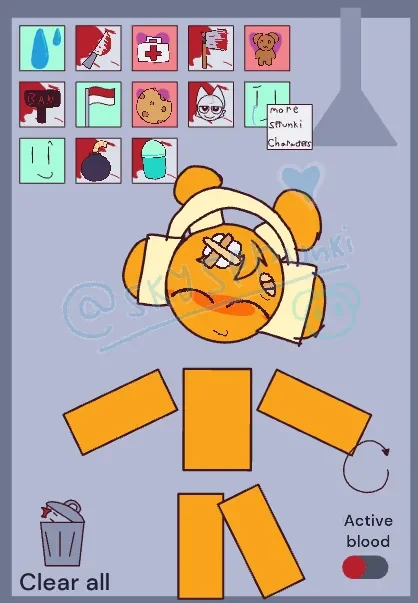
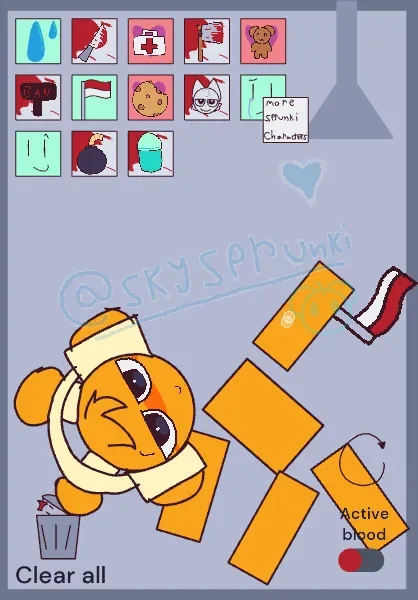
Oren's head, torso, arms, and legs function as independent pieces rather than a single rigid figure. Because incoming tools collide with specific body parts, impacts trigger unpredictable physical reactions. A spawned object might hit an arm first, knock a leg aside, or cause Oren's head to detach completely from the rest of his floating body. Loose physical interactions occasionally produce unexpected accidents, such as tools rebounding across multiple limbs or leaving items lodged in awkward positions against his floating frame. One notable outcome observed in the Castle community involved Oren appearing to stab himself due to the loose, unpredictable movement of unscripted objects.
The main room displays its options as illustrated squares along the upper-left corner. The available tools are not simple visual clones; each produces a distinct physical interaction, sound cue, or state change:
- Water: Temporarily changes the visual appearance of whatever individual body part it touches.
- Cookie and Plush Character: Provoke custom head reactions, facial expressions, and dedicated sound cues upon contact.
- First-Aid Kit and Syringe: Trigger a medical-looking state that visually treats Oren's condition.
- Sharp Weapons and Fast Objects: Cause rapid collisions that instantly shift Oren into a damaged sprite frame.
- Bomb: Sits in the room through a brief fuse sequence before triggering an explosion that scatters body parts.
- Car: Serves as a wide, heavy physical obstacle within the tight chamber.
Beyond physical tools, several icons directly modify Oren's facial expression or overall outfit. Depending on what strikes or touches him, Oren can appear wet, hurt, treated, fed, or comforted. Some of these temporary visual states gradually return to normal after a few seconds pass.
Unlabeled Icons and Sandbox Controls
Interactions rely on tapping or clicking the illustrated toolbar icons, then dragging or dropping the resulting items around the room. Impact severity is tied to collision speed and dragging force. In the secondary room, directional movement is handled through an on-screen analog control.
Despite these straightforward mechanics, the interface provides almost no written guidance. The upper toolbar consists entirely of drawn icons without text labels, tooltips, or an introductory tutorial screen. While items like the bomb, plush, cookie, syringe, and medical kit are easy to identify visually, several status-changing and character-altering icons are far less clear. Because there are no labels, players must figure out through direct trial and error which squares spawn physical objects, which directly alter Oren's state, and which lead to separate areas.
Because there are no failure conditions, losing an experiment costs nothing. Still, the lack of labeling means players can easily overlook specific interactions. Managing accumulated clutter inside the small chamber is handled through fixed utility controls at the bottom of the screen. The "Clear all" button removes spawned objects without making players reload the browser page, while a circular arrow icon completely resets the entire room. In the lower-right corner, an "Active blood" toggle allows players to enable or disable red particle effects upon impact. Disabling this option removes blood sprays during heavy collisions, though the underlying cartoon violence and damaged expressions remain present regardless of the setting.
Presentation Details and Secondary Portals
Event-driven audio cues—such as sound effects for eating, plush touching, dragging, car deployment, and explosions—accompany physical collisions. Background music is selected from several looping tracks, giving repeated testing sessions auditory variety. Hand-drawn art with loose outlines complements Oren's disconnected ragdoll anatomy, keeping the bright orange character readable against the pale blue-gray room. However, uneven icon designs, crowded upper menus, and handwritten notes give the presentation the personal, rough-edged feel of an experimental sandbox prototype.
A small handwritten note reading "more Sprunki characters" links to a separate scrolling room. Navigated with the on-screen analog stick, this area features a controllable character walking past twelve portal illustrations. Rather than offering twelve additional playable combat chambers, these portals function primarily as an interactive gallery corridor, with the active return path leading straight back to Oren's main sandbox.
Originally created on Castle under the title "Oren Ragdoll" by @Jaidenofc, the project carries the distinct context of a community remix. On Fortcade, web sandbox games of this nature succeed when immediate visual feedback and unscripted physics offer quick amusement, even if the total lack of missions, leaderboards, upgrades, multiplayer modes, or win conditions limits replay value once every object reaction has been seen. Younger or sensitive players should also keep in mind that despite its lighthearted cartoon style, the core loop centers on hitting a target character with various tools. Once all item combinations have been exhausted, the experience stops developing, leaving players to create their own entertainment until they decide to reset.



![AY in Tick Drop! [MY uae_flag] game cover](https://fortcade.com/wp-content/uploads/2026/10/ay-in-tick-drop-my-uae-flag-225x300.webp)