King's Gambit — Medieval 3D Chess is a fully playable browser chess game created by Alex Nguyen (@alexc0oldev). It transforms traditional pieces into animated fantasy warriors: an armored Ivory court faces a sun-crested Obsidian army while figures march across a rendered battlefield and captures become brief combat scenes.
The project began as a rapid AI-assisted prototype and expanded after player feedback with walking animations, local two-player play, additional battle systems, sound and performance improvements. The result is more than a visual chess demo—it includes complete matches, several computer strengths, clocks, tactical viewing and PGN records.
Despite its name, this is not a trainer dedicated to the King’s Gambit opening. Every match starts from the standard chess position and follows regular chess rules. It can be played directly in a browser without an account or download.
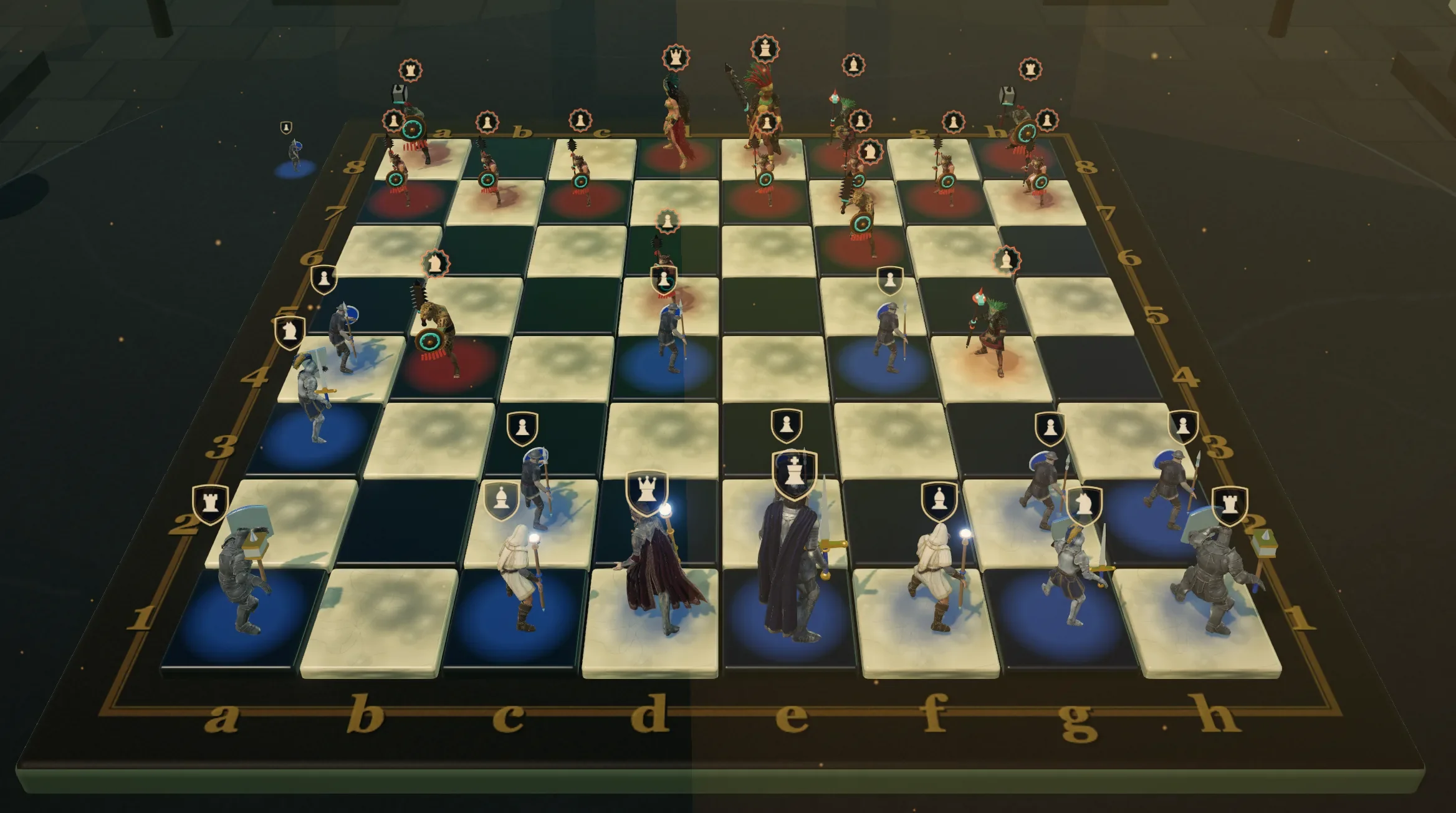 3 Game Screenshots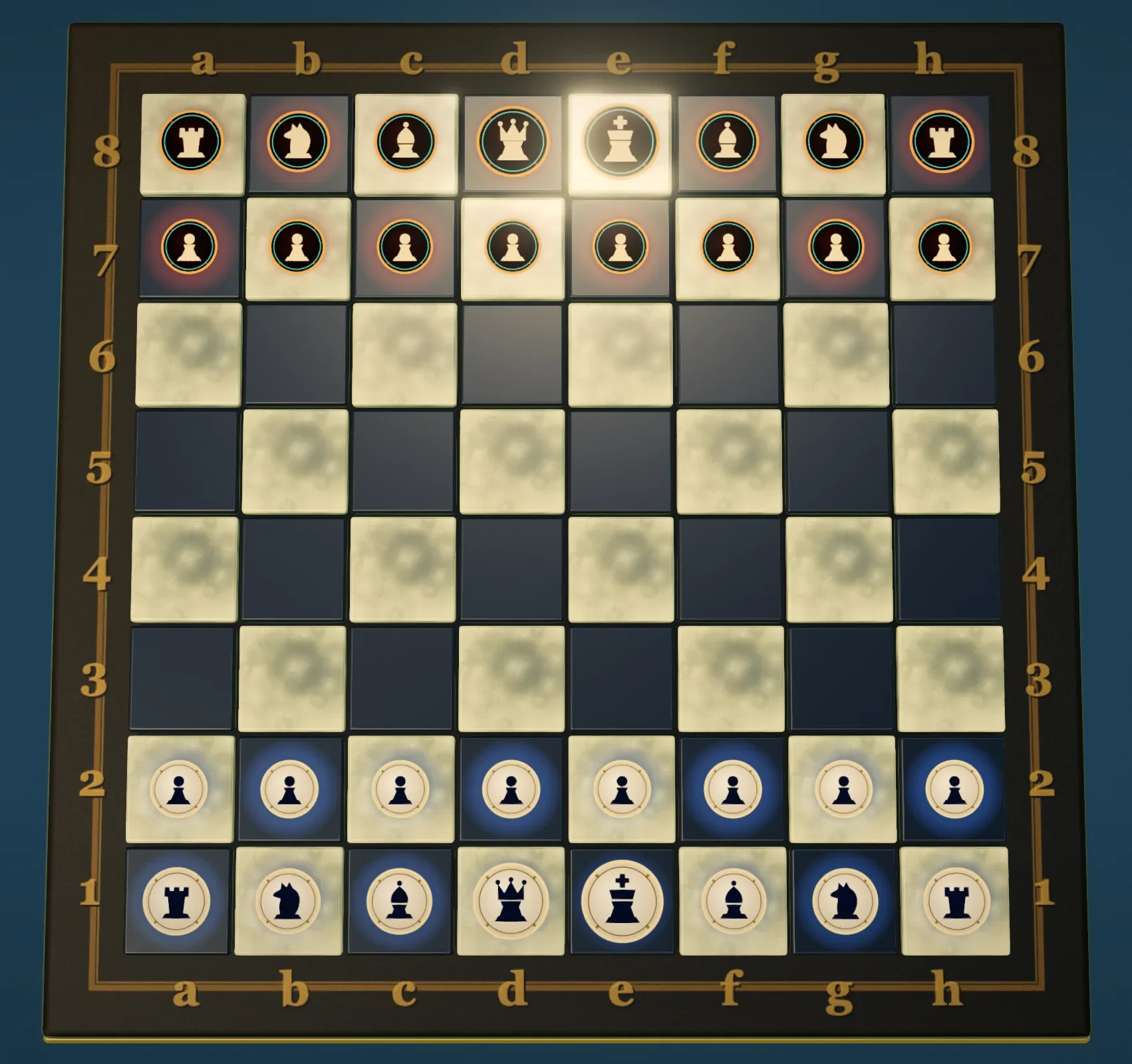
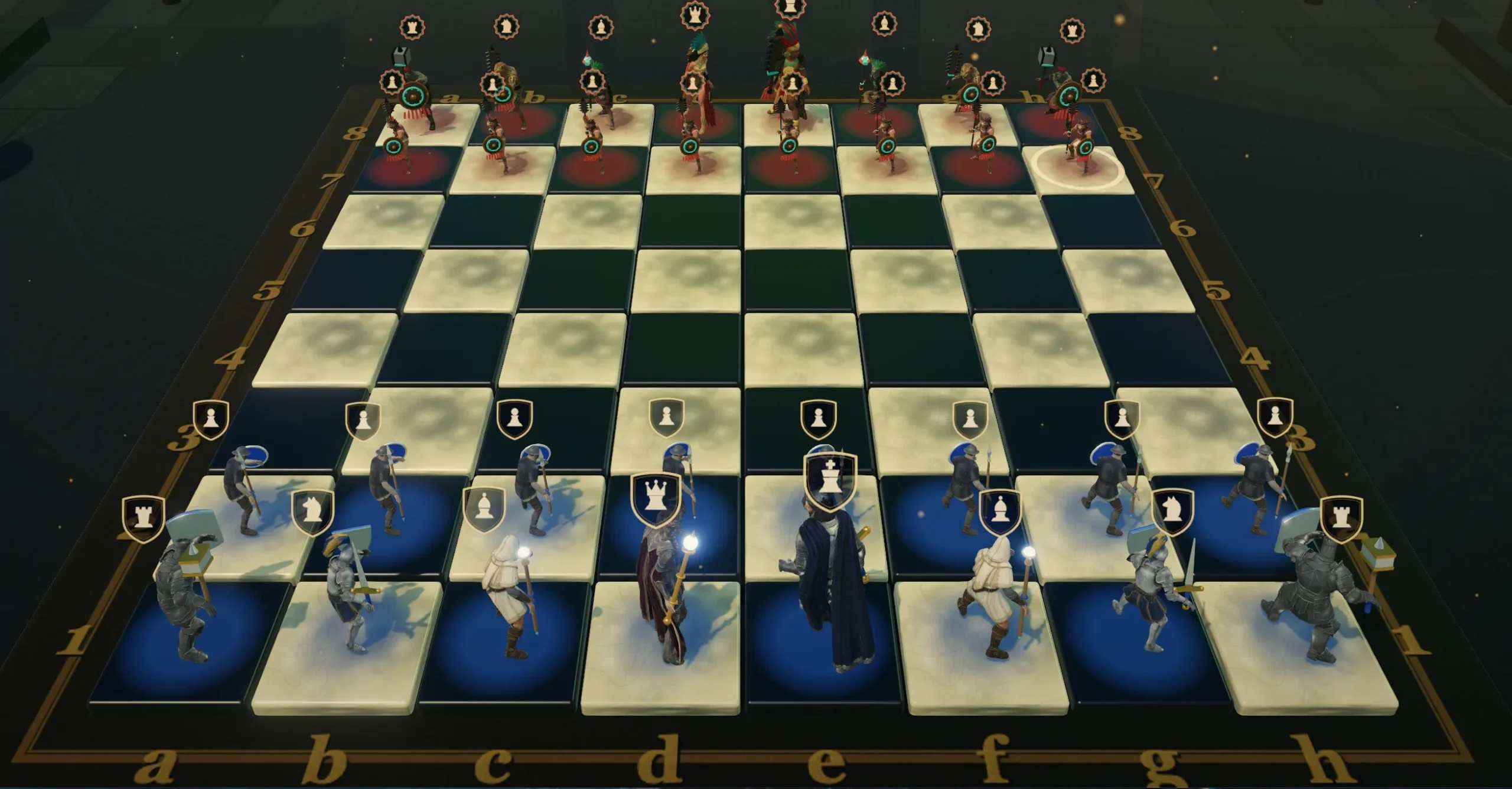
Full Chess Beneath the Fantasy Combat
King’s Gambit supports standard rules including castling, en passant, promotion, checkmate, stalemate, threefold repetition and insufficient-material draws. Players can choose an untimed match or set the clock to 5, 10 or 15 minutes, with a timeout awarding victory to the opposing army.
Three modes are available:
- Computer: Play against an Easy, Medium or Hard opponent while commanding either Ivory or Obsidian.
- 2 Players: Share one screen for a local hotseat match.
- Showcase: Watch two computer-controlled armies play automatically.
Easy favors quick, less consistent moves, while Medium searches more deliberately and Hard uses the deepest available analysis. The computer works independently of the animated scene, so its search does not freeze the board. Hard provides the best challenge available here, although the game is not intended to replace a dedicated tournament chess engine.
The match interface includes take-back, resignation, rematch and board-flipping controls. A foldable ledger records standard algebraic notation, tracks captured material and lets players copy the current game as PGN. The spoils panel also shows which pieces have fallen and which faction holds the material advantage.
There is no online multiplayer, ranking ladder, account progression or persistent match save. Two-player games are local, and unfinished positions do not return after leaving or reloading the game.
Controls and Tactical Readability
Pieces use a two-click movement system rather than drag-and-drop. Clicking a figure highlights its legal destinations; clicking one of those squares completes the move. Normal moves and captures receive different visual treatments, making valid options easier to identify.
| Action | Input | Result |
|---|---|---|
| Select a figure | Click the figure | Highlights its legal destinations |
| Make a move | Click a highlighted square | Moves the selected figure |
| Orbit the board | Click and drag | Rotates the 3D camera |
| Adjust zoom | Mouse wheel | Changes the camera distance |
| Flip sides | F | Rotates the viewpoint 180 degrees |
| Tactical view | T | Switches between the 3D hall and overhead map |
| Move ledger | H | Opens or folds the notation history |
| Cinema mode | C | Hides the interface for a clean view |
| Close menus | Esc | Closes active panels, settings or tooltips |
The overhead tactical map is one of the game’s most useful features. It replaces the humanoid warriors with clear heraldic counters while preserving full selection and movement controls. Players can calculate on an uncluttered 2D board and return to the animated hall without interrupting the match.
This option is especially helpful when the sculpted figures, floating rank crests and environmental effects make a position harder to read. Ivory, Obsidian, overhead and cinematic camera presets provide additional viewpoints, while the rank badges can be disabled if the board feels too crowded.
The toolbar relies heavily on icons, but its tooltips explain every control and display the relevant keyboard shortcut. After a short adjustment period, the interface keeps most information around the board rather than covering it.
Captures, Armies and Battlegrounds
Captures are the game’s defining spectacle. The camera closes in on the contested square, the attacker performs a rank-specific strike and impact effects emphasize the blow. The defeated warrior then burns away into drifting particles before the attacker claims the square.
Even a pawn exchange feels more physical than a normal piece disappearing from the board. Higher-ranking warriors use heavier melee attacks or magical effects, while faction-specific armor, weapons and colors keep the two armies visually distinct.
The cinematics are deliberately brief, but repeated exchanges still make a match slower than minimalist 2D chess. Players who prefer a faster pace can disable battle-capture cinematics in Settings and use the tactical map for a more direct experience.
Four battlegrounds can be selected during a match:
- Sun Temple: The atmospheric default, surrounded by jungle ruins, green light and monumental stonework.
- Dawn Court: A warm daylight setting with clearer character silhouettes.
- Frostfall: A colder battlefield with pale, restrained lighting.
- Siege at Dusk: A dark, torch-colored arena with deep shadows and a heavier mood.
These are more than simple board-color themes. Each battleground changes the surrounding environment, lighting, haze, contrast and overall color treatment. Sun Temple has the strongest visual identity, while Dawn Court is the easiest to read. Siege at Dusk looks dramatic but benefits most from the tactical-view option.
The active sound mix includes music, ambience, footsteps, combat effects and faction-specific defeat cries. Sound can be muted from the toolbar. Graphics presets range from Low to Ultra, supported by brightness adjustment and a safe-rendering mode that reduces demanding reflections, shadows and post-processing.
The initial loading sequence is heavier than that of a typical 2D chess page because the game must prepare its animated figures and environment. Performance will depend on the player’s hardware, but the available quality settings provide several ways to reduce the visual load.
Showcase Mode Turns Chess Into a Performance
Showcase mode lets the game function as an automated fantasy chess exhibition. Ivory and Obsidian can use independently selected difficulty levels, while playback speed can be set to 0.5×, 1×, 2× or 4×.
Viewers can pause or restart the duel, enable automatic rematches and switch among still, follow and orbit camera behavior. A clean-capture control hides the normal interface, and the transport bar can collapse when it is not needed.
It is a thoughtful addition rather than a passive menu animation. Showcase works well for watching the armies fight, leaving the game running in the background or capturing footage of its animated battles.
Strengths and Limitations
King’s Gambit works because the cinematic presentation does not replace the underlying board game. Tactical view, legal-move highlights, clocks, material tracking and PGN support keep it practical, while animated movement and combat give it an identity beyond ordinary browser chess.
Its main limitations are scope and pacing. There is no campaign, puzzle collection, opening trainer, online competition or saved progression. The ornate 3D presentation can also make calculation slower, although the tactical map and optional capture cinematics address that problem effectively.
The game is best suited to casual chess players, fantasy fans and anyone who enjoys watching traditional board-game rules presented as physical combat. Competitive players looking for instant moves and advanced analysis will be better served elsewhere.
Ratings and Verdict
| Category | Rating | Summary |
|---|---|---|
| Gameplay Design | ★★★★☆ | Complete chess rules supported by useful match options and cinematic presentation |
| Controls | ★★★★☆ | Clear two-click movement, helpful shortcuts and an excellent tactical map |
| Content Depth | ★★★★☆ | Three modes, three AI levels, clocks, PGN support and four arenas, but no online play |
| Visuals and Atmosphere | ★★★★★ | Distinct armies, animated attacks and dramatic battlefield lighting |
| Accessibility | ★★★☆☆ | Adjustable graphics and 2D viewing help, though the ornate interface can feel dense |
| Overall Experience | ★★★★☆ | A memorable browser interpretation of chess that balances spectacle with practical play |
King's Gambit — Medieval 3D Chess succeeds by placing a complete chess game beneath its fantasy spectacle. It is not the fastest or most minimal way to play, but the tactical map, scalable presentation and traditional rules prevent the visual effects from becoming a gimmick.
For players who want standard chess with marching warriors, magical attacks and battlefield atmosphere, it offers a distinctive experience that remains genuinely playable after the novelty of its first cinematic capture.