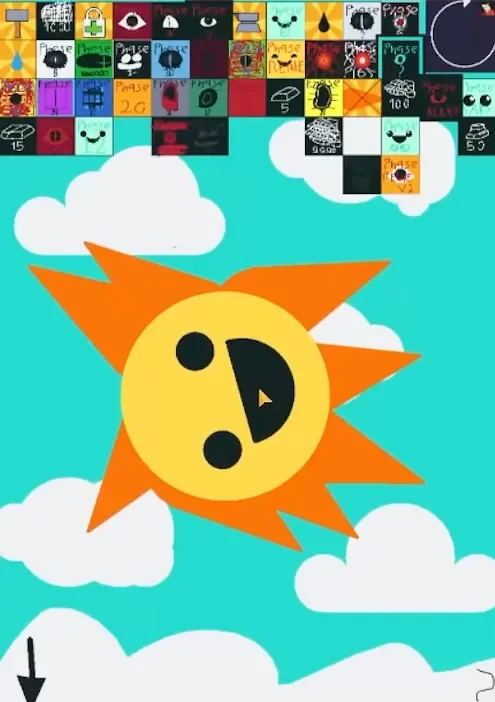
Mr. Sun Ragdoll: Phase Playground is a Sprunki character sandbox by @P-140_2025. Drag the smiling sun around the sky, bring him into contact with falling objects, and use the crowded phase grid to swap his appearance and surroundings. The appeal is experimenting with a familiar face: a cheerful yellow sun can give way to a single staring eye, a dark spiked shape, or something that barely resembles a sun at all.
Drag, collide, and watch the reaction
Start by grabbing Mr. Sun’s face and pulling it across the play area. His face shifts and rotates, with the surrounding rays changing position as the body moves. A sideways pull gives a clearer sense of the ragdoll motion than simply tapping the character.
 4 Game Screenshots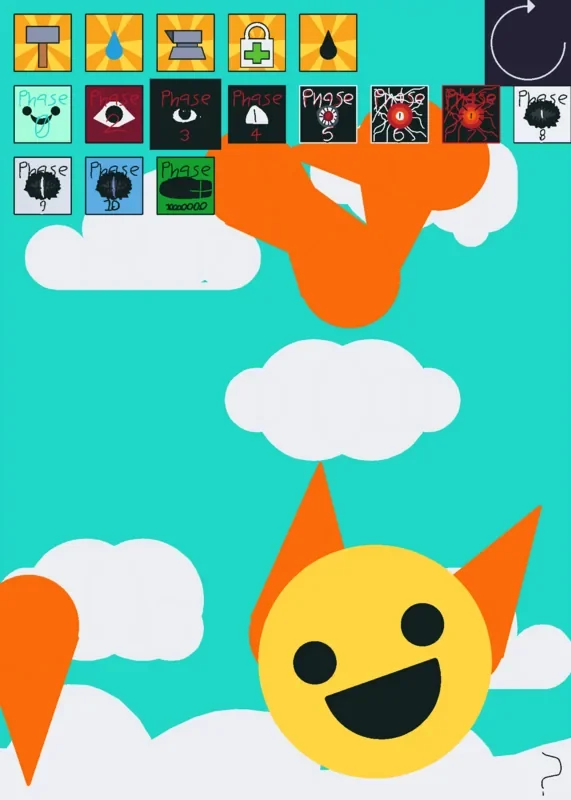
The tool icons add objects or release falling particles. Positioning matters: selecting an item does not automatically apply its effect to Mr. Sun. In one experiment with the yellow form, we spawned a hammer and pulled the sun down toward it. Contact changed his smile into a crying face with red injury marks. After spawning the medical bag, we moved the injured sun up into it; the tears and red marks gave way to a smile with crossed bandages.
That small sequence is a good introduction to the game. Change one thing, make contact, and look at the face before adding another object. Piling everything into the arena at once makes it harder to tell which collision caused a reaction.
| Input | What to try |
|---|---|
| Click and drag Mr. Sun | Move and rotate the character within the scene. |
| Select the hammer or gray metal object | Spawn a physical prop, then bring it into contact with the sun. |
| Select the medical bag | Try contact after injuring a yellow sun form. |
| Hold a droplet icon | Release a stream of particles into the play area. |
| Select a phase tile | Open another form and its scene directly. |
| Select the circular arrow, where available | Restore the current scene’s starting setup. |
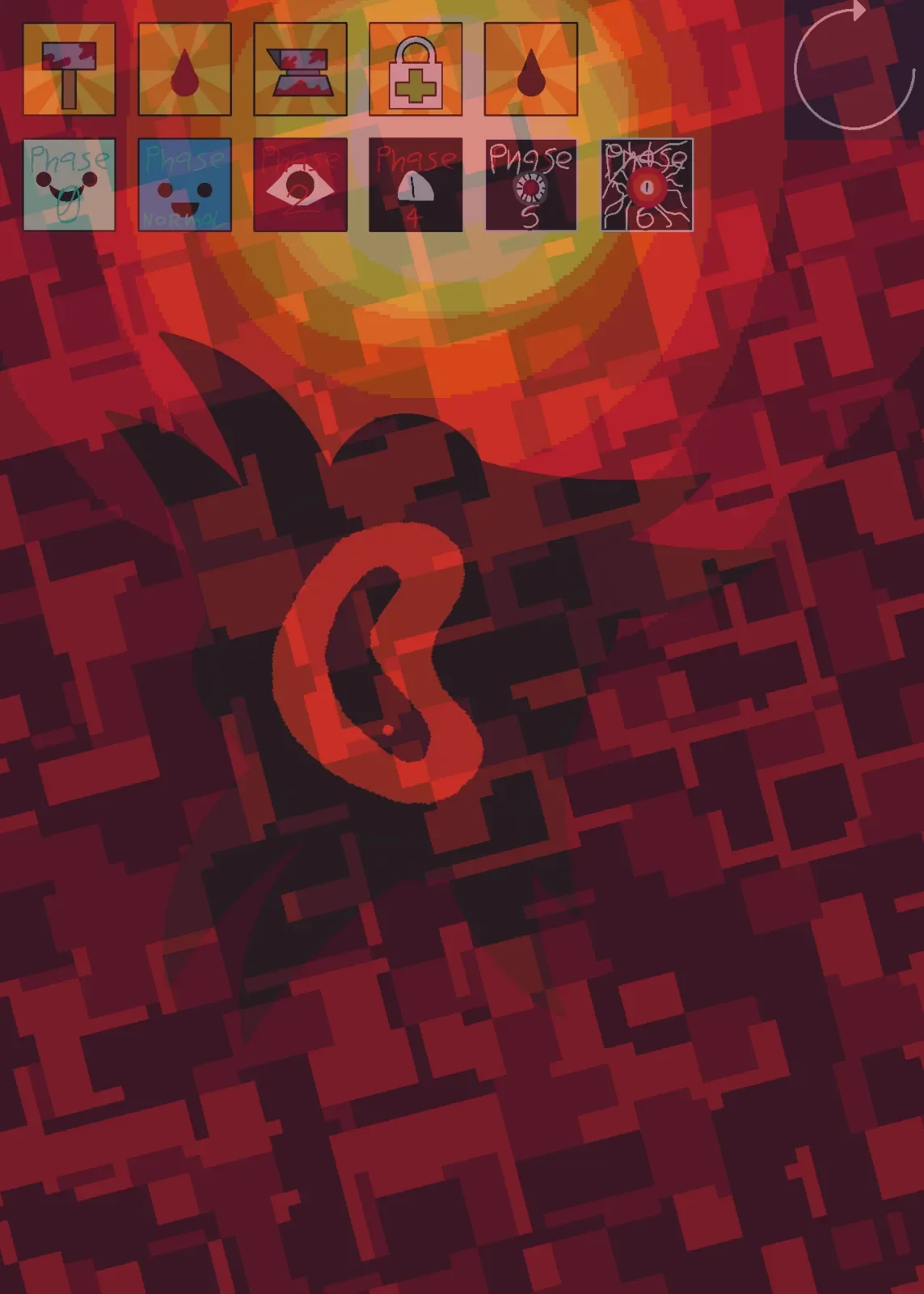
The black droplet is especially noticeable on lighter shapes. In the red slit-eye form, pouring it and bringing the character into the stream blackened parts of the rays while leaving orange tips visible. Different starting designs make the result easier or harder to read, so do not expect every tool to produce the same obvious expression in every phase.
A grid of forms, with different ways back
The phase grid is the main source of variety. You can select its entries immediately, so exploring feels like opening a cabinet of alternate toys rather than clearing a sequence of levels.
The early eye forms keep recognizable sun rays while replacing the friendly face. One yellow, single-eye form appears against a red, pixelated sky; another has a red center and a narrow vertical pupil. A black spiked form makes a much heavier silhouette against gray static. A green branch layers scribbled shapes and a green wash across the scene, obscuring the character and toolbar.
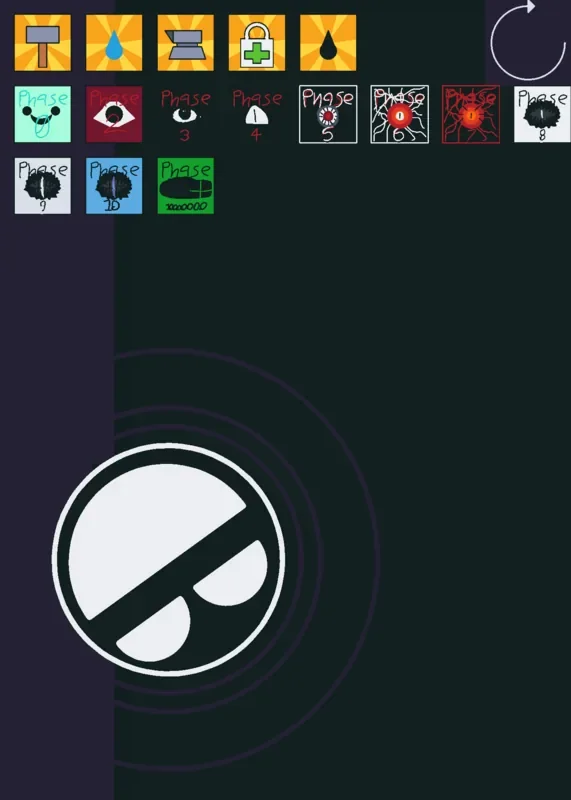
Some entries change the interaction space more substantially. The purple branch presents a large, divided square inside a thick black frame. Dragging it tipped the shape toward the lower edge, and its upward arrow returned us to the full opening menu. It is worth trying a short drag after each selection instead of assuming every thumbnail leads to the same sun with a different color.
Navigation is less consistent than the visual variety. Several forms replace the full grid with a smaller selection of tools and phases. The circular arrow can reset that particular form without restoring the original grid. In the red, spinning, thin-rayed branch, the visible Phase 6 button did not take us back during testing; refreshing the game restored the opening menu. If you want to browse widely, distinguish a scene reset from returning to the full collection.
Who will enjoy this Mr. Sun sandbox?
This works best as a short session of character experiments: choose a form, test a collision, reset, and compare another design. The bright opening face makes injury and bandage reactions easy to read, while the darker branches reward curiosity with increasingly strange silhouettes and backgrounds. Those darker designs also include unsettling eyes and busy visual effects, so the cheerful opening does not represent the whole collection’s tone.
The clearest limitation is the interface. Tiny handwritten tiles and changing menus make browsing less orderly than the simple drag controls suggest. The most useful approach is to explore a few forms at a time and use a clean reset before testing another tool combination.
For another game built around dragging characters, try Cliffside Endings. For more of the same character in a different format, AY in Tick Drop! Sprunki but There Are Two Mr. Suns offers a Mr. Sun crossover elimination setup.