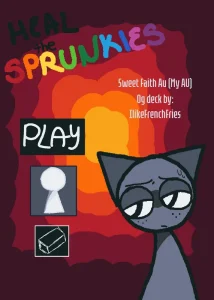
Launching Heal The Sprunkies Phase 3 immediately presents players with an unexpected interactive trap on its cover screen. A prominent PLAY button sits directly in the center, but clicking it opens a ten-position character gallery browsing mode rather than starting any medical care. To actually access the rescue missions, players must tap a small, white keyhole-shaped symbol positioned underneath the main button. That unconventional menu layout sets the tone for an experimental browser game: there is a surprisingly varied set of interactive rescue sequences hidden inside, but discovering how to access and navigate them requires deliberate observation.
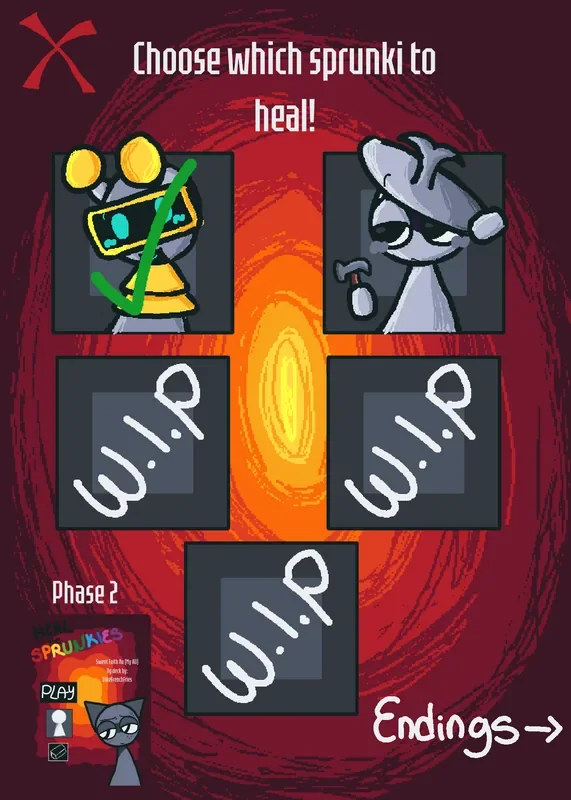
Created by PenguinsBiggestLover and originally published as Heal the Sprunkies in My AU!! (Phase 3), this portrait-format fan game takes place within the creator’s Sweet Faith AU. Instead of composing music like standard entry points in the Sprunki universe, this release functions as a mini-collection of medical treatment minigames. The core selection menu asks players to "Choose which sprunki to heal!", displaying five character portraits. Selecting three of those options yields a temporary "W.I.P sorry :c" notice, clarifying early that this build centers entirely on two complete treatment scenarios starring Fun Bot and Clukr.
 7 Game Screenshots
Navigating the Opening Menu and Interactive Setup
Because the main title screen lacks explicit labels for its keyhole icon, opening navigation lacks direct guidance, leading players to ask how to start upon launching the game. Once players locate the keyhole and enter the treatment menu, selecting a character portrait requires confirming with a "Yes" prompt before the rescue mission begins. From that point forward, the game provides contextual instructions tailored to each patient's specific scenario.
Actions rely primarily on standard mouse clicks or touchscreen inputs within a tall 5:7 play area suited for short gaming sessions.
| Action | Input | Result |
|---|---|---|
| Open character gallery | Tap or click PLAY | Displays gallery and browsing arrows |
| Open treatment menu | Tap white keyhole icon | Displays Sprunki patient selection screen |
| Select a patient | Tap portrait, then select Yes | Begins that character's route |
| Move through exploration areas | Drag on-screen analog stick | Guides character through scrolling map |
| Break rocks and clear obstacles | Tap or click them | Clears obstacles along path |
| Apply treatment items | Tap or drag items/tools | Uses item during medical care |
Instructions improve significantly after entering an active mission. Visual prompts like "Destroy ALL of the rocks," an on-screen battery counter, tool selection menus, and Clukr's emergency countdown guide players directly through each task.
Two Distinct Patient Routes: Exploration Versus Emergency
Fun Bot’s route emphasizes environmental exploration and light sequence puzzle mechanics. Players guide their character through a long horizontal environment using an on-screen analog stick control. Progress requires tapping rocks that block the scrolling path, causing them to disappear. As players clear the field, an on-screen counter tracks three concealed batteries that must be discovered. Once the path is open and the items are found, the scene transitions to a medical kit interface where players select from various tools to heal Fun Bot in sequence.
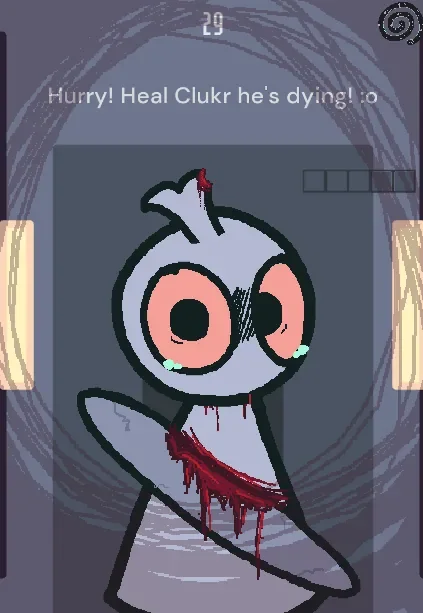
Clukr’s route trades exploration for high-pressure dexterity under a strict countdown. The stage opens with an urgent message—"Hurry! Heal Clukr he’s dying!"—beside a visible timer. Medical components, including Clukr's head, body, eyes, eye dropper, and eye drops, are spread around the injured patient. Healing him requires a combination of precise taps and collision-based dragging to assemble and treat his body. Players frequently experience high stress and control friction during Clukr's route, often leading to last-second completions or repeated failures on a dedicated retry screen before learning the exact placement triggers.
Sweet Faith AU Visual Style and Sound Design
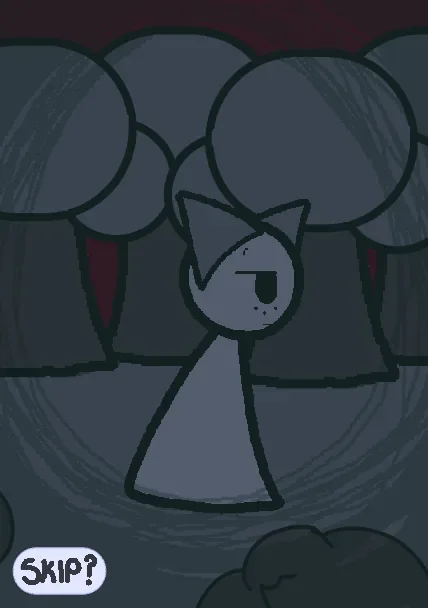
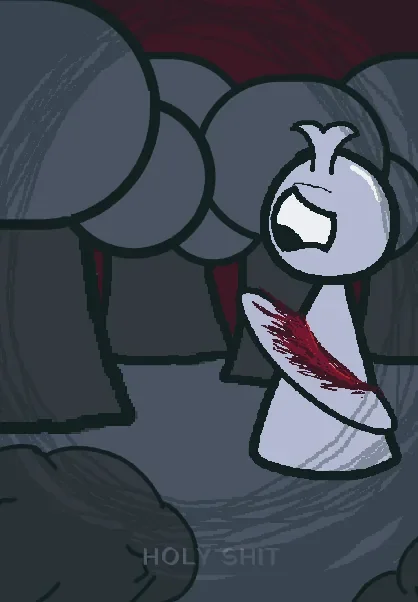
The presentation relies on a rough, hand-drawn horror aesthetic. The title screen features a knife-holding gray character surrounded by a red-orange spiral, establishing an anxious atmosphere. Rather than using a single static image during treatment, character drawings change dynamically across scenes, injury states, and task steps. Background music and sound effect cues accompany scene transitions, tool interactions, rescue actions, and timer failures.
Completion is saved per character. Returning to a previously healed Sprunki alters their dialogue and state on the menu while still allowing players to replay that specific route. On Fortcade, Heal The Sprunkies Phase 3 stands out not for an expansive roster, but for giving its two available patients entirely different interactive mechanics, ensuring each rescue feels like a distinct minigame rather than a repeated template.