Dropping an exploding cosmic object into a character's mouth while watching green particles spray across the floor is the instant appeal of Please! do NOT feed the Sprunki BRUD. Created by @truank, this feeding sandbox places a single, highly reactive figure on the right side of a portrait-oriented screen while presenting a dense tray of items on the left. The title urges restraint, but feeding the main subject is the only way to generate activity, test physics interactions, and uncover the game's array of voiced and visual surprises.
There are no point counters, timers, or formal victory conditions. Progress relies entirely on selecting an item from the menu, watching it spawn in the play area, and deciding whether to shove it directly into the target character or let it bounce off surrounding objects.
 3 Game Screenshots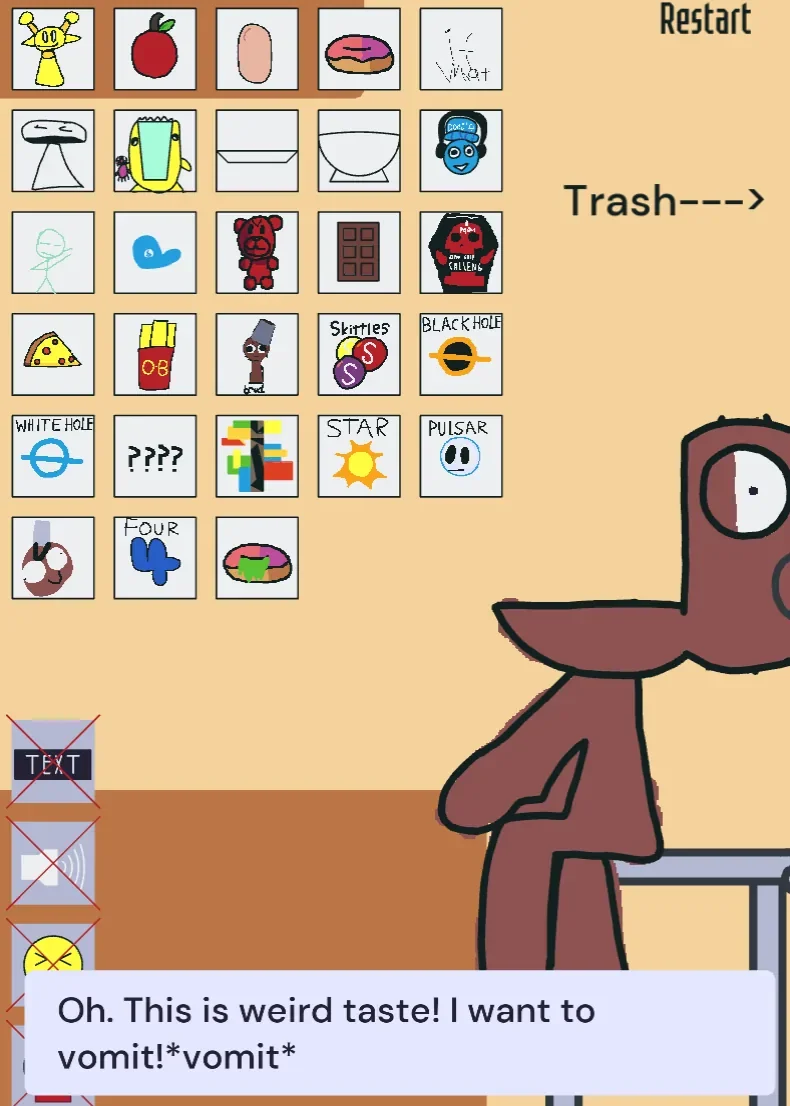
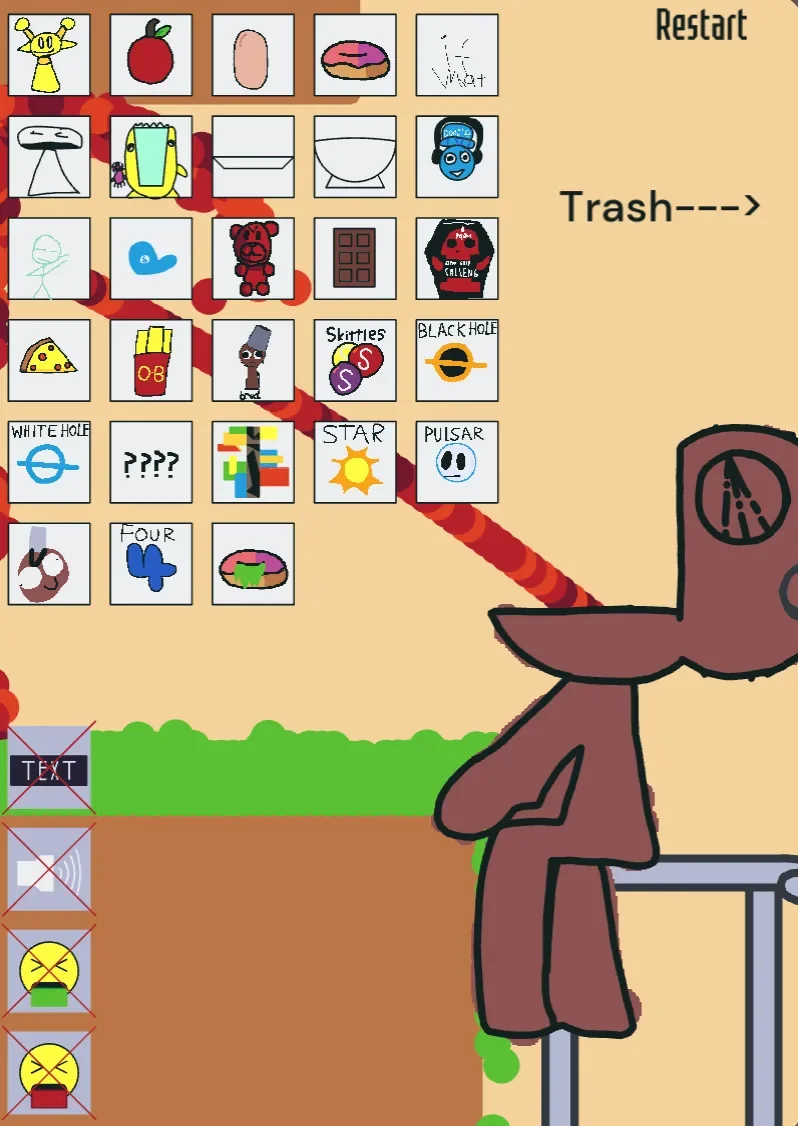
Layout and Touch Controls
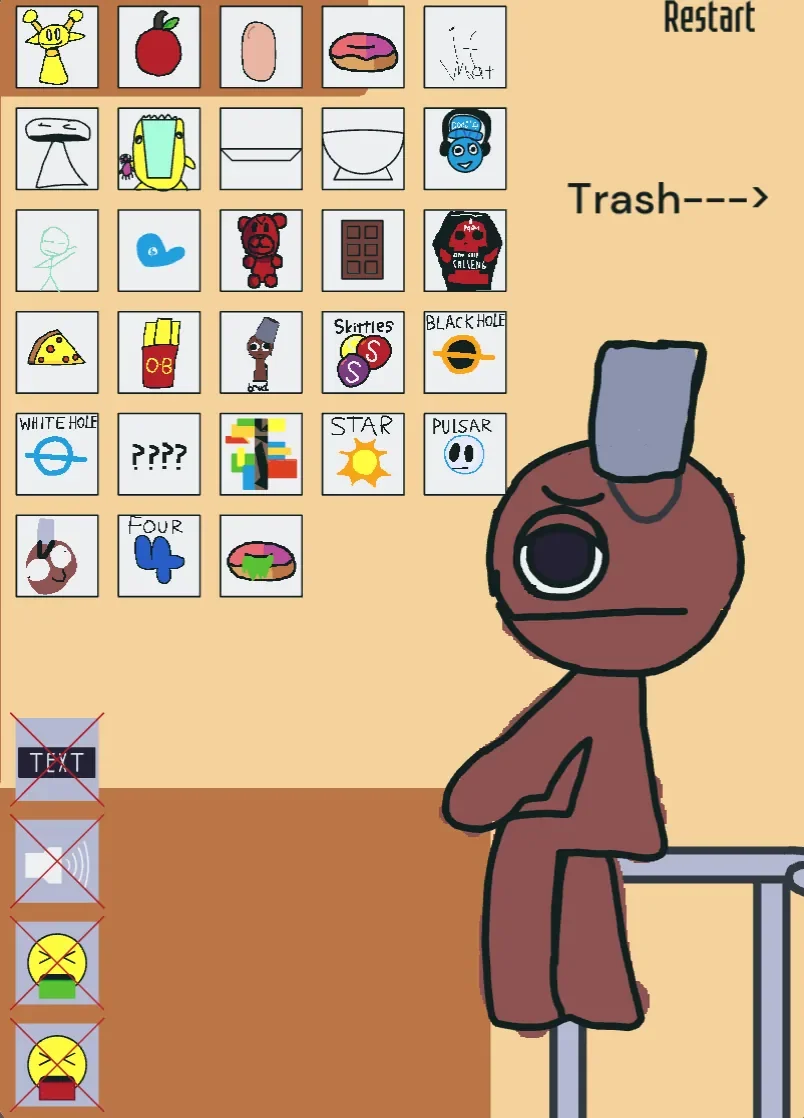
The game opens directly into its portrait play area without forcing players through title screens or tutorials. The character stands against a beige wall and brown floor, wearing an oversized bucket hat above a single large circular eye and a simple brown body. To his left sits a crowded selection grid filled with hand-drawn icons resembling a miniature toy catalog.
| Action | Control |
|---|---|
| Create an item | Tap an icon in the left-hand menu |
| Feed the character | Drag a spawned item onto his head or body |
| Move special objects | Drag spawned objects around the scene |
| Reset the scene | Tap the Restart button |
| Adjust display and sound | Toggle the text and audio buttons in the lower-left corner |
Because the layout relies on direct tap-and-drag interactions, the system fits mobile touchscreens naturally. Tapping any icon immediately instantiates that item inside the arena. Players can then grab the object and move it toward the character's head or body to trigger a reaction. However, as more objects are spawned and left on the floor, the crowded menu grid and lingering physics items can make precise dragging difficult during busy experiments.
A noticeable inconsistency appears right at the start of a session. The character announces, "I’m soo hungry," accompanied by a text objective that reads "Feed simon." Despite the published title naming the character BRUD, internal text triggers still refer to him as Simon. Furthermore, reference recordings show alternative builds featuring different bucket colors and body shading. These details highlight that the project functions as a loose, evolving remix rather than a strictly standardized release.
Tastes, Explosive Reactions, and Cosmic Toys
The selection panel offers over two dozen items, ranging from basic snacks to reality-bending cosmic tools. Ordinary food items include apples, donuts, pizza slices, french fries, chocolate, hard candy, and Skittles. Feeding these items produces distinct responses:
- Pleasant Foods: Triggers approving dialogue such as "Oh, good taste!" alongside temporary shifts in facial expression.
- Spicy Snacks: Triggers an extended, screaming reaction where he exclaims, "AAAAAAAAAAAA!! THIS IS FREAKING SPICY. AAAAAAAA!!"
- Disgusting Items: Triggers the line "Oh. This is weird taste! I want to vomit!" followed by green vomit-like particles spraying across the stage.
- Stars and Cosmic Anomalies: Produce similar disgust or disruption effects, showering the floor with additional sound clips and visual debris.
- Glitch Objects: Produce deliberately garbled dialogue lines accompanied by a chain of audio glitches and extra spawned elements.
Beyond edible items, the sandbox introduces interactive props like black holes, white holes, pulsars, mirrors, stars, and character-like items such as Dandy. The black hole actively pulls nearby objects toward its center and destroys anything that touches it, while the white hole pushes items away. Combining these tools with piles of food, vomit particles, or floating glitch objects creates dynamic physics collisions where items bounce, stack, or implode across the arena.
Sandbox Structure and Replay Boundaries
Restarting the scene serves as the primary way to manage clutter. Tapping the Restart command at the top of the interface instantly wipes all spawned items, removes vomit stains, resets the character's state, and re-triggers his opening dialogue. Because there are no score records, level transitions, or unlockable rewards, restarting acts as the reset switch for every new experiment.
The interface does not supply written tooltips or labels for its menu icons. Players must discover what each object does by tapping it, dragging it, and observing the outcome. While this trial-and-error approach fuels initial discovery, the lack of item descriptions or hidden combination trackers means replay value depends on self-directed play. When evaluating the sandbox on Fortcade, its value rests entirely on unguided curiosity rather than structured objectives. Without a reaction log, achievement list, or explicit challenge mode, once players have seen each food reaction and tested the cosmic physics objects, there are no additional mechanics to unlock.
Nevertheless, the expressive voice clips, sudden expression changes, and messy collision physics provide an entertaining, unscripted playground for testing absurd object combinations.