
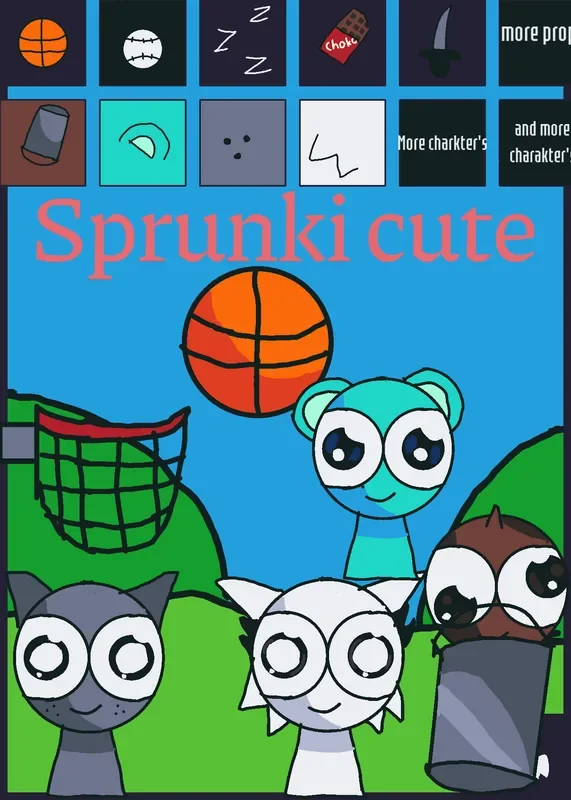
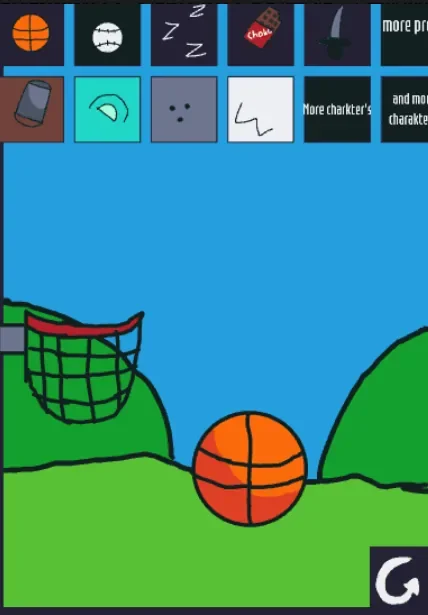
Tapping a basketball icon on a bright blue-sky hillside instantly drops a ball onto a virtual playground near a waiting basketball hoop. Sprunki Cute: Sky's Cuteville Sandbox skips traditional platforming, timers, and win states in favor of an open portrait-mode toybox where players populate a single outdoor scene with characters and hand-drawn props. Created by @maxi_games, the Castle-based toybox provides immediate access to an inventory of objects and cast members, relying on player curiosity rather than structured objectives to drive interaction.
Rather than asking players to clear stages or defeat enemies, the game provides a clean hillside canvas, a row of quick-access inventory tiles across the top of the screen, and a prominent reset button. Placing an item or a Sprunki character into the scene turns the empty grassy slope into an interactive play environment. Because there are no scores, leaderboards, or required sequences, the experience remains entirely self-directed: you choose what appears, position props around the playground, and clear the screen whenever the area becomes crowded.
 4 Game Screenshots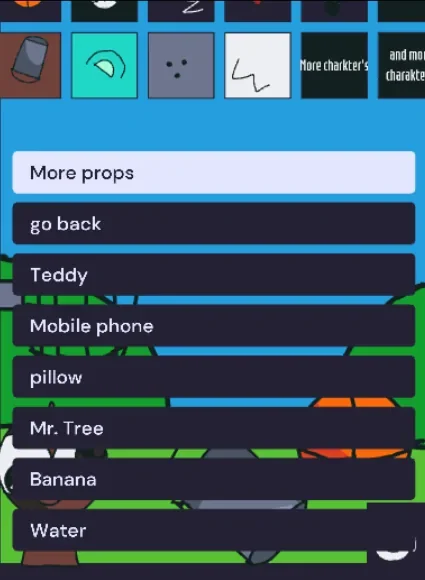
Spawning Sprunki Characters and Playground Props
The core interaction loop centers on selecting icons from quick inventory slots or opening full pop-up menus. Tapping the quick-access row instantly spawns items like a basketball, a baseball, sleep marks, a piece of chocolate, or a bucket directly into the playfield. For a wider selection, tapping the "More props" button expands the inventory to include items such as a Teddy bear, a Mobile phone, a pillow, Mr. Tree, a Banana, and a cup of Water. These objects settle into the playground space, allowing players to frame small thematic setups against the green hills.
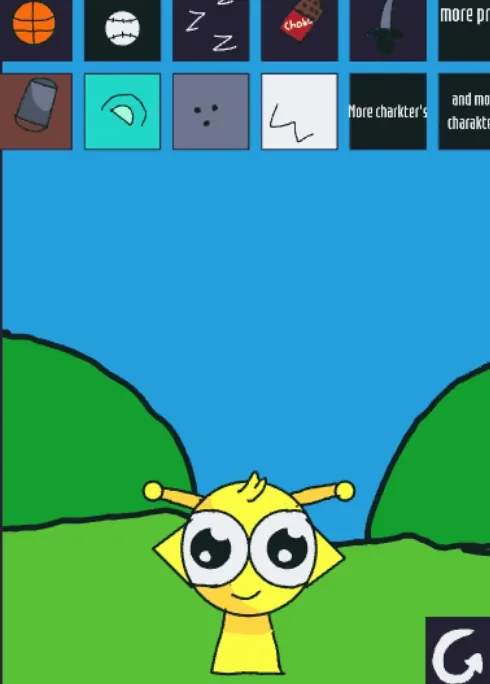
Character selection provides the primary identity for the playground. Tapping the "More charakter's" button opens a vertical menu featuring recognizable Sprunki figures, including Simon, Owakcx, Jevin, Pinki, Oren, Black, Tunner, Durple, and Reddy. Selecting a name like Simon, the yellow Sprunki character, drops that figure straight into the center of the scene alongside whatever props are already present. The character menu lets players assemble multi-figure arrangements or test how different cast members look side-by-side on the hillside.
Sandbox Interactions and Interface Mechanics
While Sky serves as the main visual banner for the title and cover art, the playable experience operates as a broader cast sandbox. Players frequently use the included basketball and hoop prop pair to practice casual trickshots and bounce physics within the playground boundary. Additionally, player observations highlight informal sandbox experiments, such as stacking character hats or testing how different items interact when placed on top of a figure. Players also make use of the setup to place figures next to each other, visually pairing characters like Pinki and Oren or Wenda and Gray to mirror popular community ships.
| Action | Input | Result |
|---|---|---|
| Spawn a quick prop | Tap an inventory tile (e.g., basketball) | Drops the object into the playground scene |
| Open character list | Tap "More charakter's" | Opens vertical menu of Sprunki cast names |
| Add a character | Tap a character row (e.g., Simon) | Places selected character into the scene |
| Open prop list | Tap "More props" | Opens menu with toys, food, and household items |
| Clear the playground | Tap the reset icon | Removes all spawned characters and props |
The touch-driven controls are straightforward and responsive, designed primarily for vertical phone-oriented layouts. However, the open menus can cover a significant portion of the lower playfield on narrow displays, making it difficult to see where new objects land until the menu is closed. The rough text labels—such as the spelling in "More charakter's"—reflect the game's informal fan-made origins, prioritizing quick playability over commercial interface polish.
Scope, Reset Architecture, and Platform Experience
Keeping the scene navigable depends heavily on the reset button located near the edge of the screen. Because the sandbox allows endless object spawning without automatic cleanup, the playground can quickly become cluttered with overlapping characters, balls, and food items. Tapping the reset icon clears all spawned entities instantly, restoring the hillside to its original empty state without forcing the browser page to reload. This immediate reset cycle allows players to rapidly switch between different scene setups.
Examining the underlying deployment reveals additional unused scene files and card assets within the local files, but the verified normal play flow remains confined entirely to the opening Cuteville playground. There are no confirmed in-game transitions leading to secondary adventure stages, branching story paths, or alternate game modes. On Fortcade, this structured simplicity establishes clear expectations: the title functions strictly as a character-and-prop sandbox rather than a multi-level platformer or rhythm game.
Visual Presentation and Design Tradeoffs
Visually, the game uses bold hand-drawn outlines, bright primary colors, and large expressive eyes for both characters and interactive props. The thick inventory tiles and clear visual iconography match the cover art closely, ensuring that players who launch the game immediately see the blue sky, green hillside, and character cast showcased in the preview image. The clear visual layout helps players identify items like the bucket, basketball, and sleep marks without reading complex instructions.
The trade-off for this accessible design is a lack of deep progression systems or persistent unlocks. Without a win condition, score counter, or save state, long-term interest depends entirely on a player's desire to experiment with character arrangements and physics props. For players who appreciate low-pressure character viewers, ragdoll-style sandboxes, or quick digital toyboxes, the game delivers an accessible, immediate playground. Those seeking deep mechanical challenges or explicit narrative conclusions will find its boundaries relatively modest.
![AY in Tick Drop! [MY uae_flag] game cover](https://fortcade.com/wp-content/uploads/2026/10/ay-in-tick-drop-my-uae-flag-225x300.webp)