StickFrag is a browser-based multiplayer FPS by Roman, built around thin stick figures, chunky comic-book scenery, and quick returns to the fight. Pick a nickname, join a public match, or create a private room for friends. The opening flow gets you into a gunfight without an installation or mandatory account setup.
The familiar rifles and opposing teams make “stickman Counter-Strike” an understandable introduction. The modes available here give it the rhythm of an arcade shooter: enter a match already in progress, choose equipment, get caught crossing a lane, respawn, and try a better route. Accurate shooting still matters. The cheerful characters have narrow silhouettes, the SMG climbs during sustained fire, and a headshot is much more valuable than a hit to an arm.
 5 Game Screenshots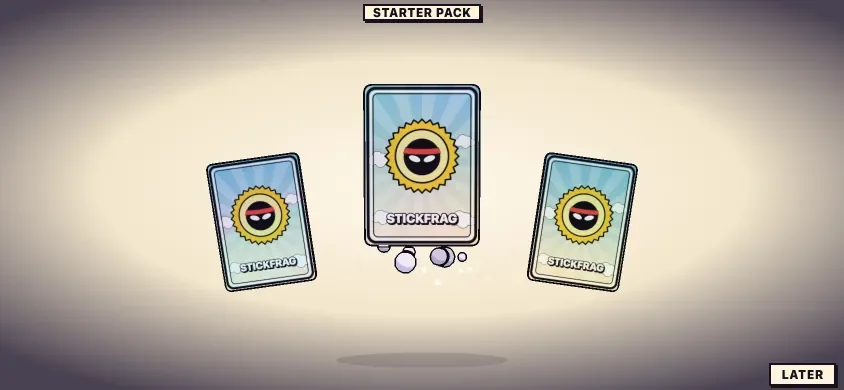
Its most useful features extend beyond that first burst of action. A practice range explains the shooting through visible feedback, bots give small rooms something to fight, and editable touch controls make the phone interface more than a scaled-down desktop screen. Public phone matchmaking groups mobile players together; private rooms let phone and computer players meet in the same match.
Join an Ongoing Fight and Learn from Each Death
Public Team Deathmatch can place you straight into an active game. A Port session joined with blue already leading 33–28, so getting started did not depend on assembling a new lobby or waiting for a fresh round. The battlefield included human players and opponents explicitly labeled as bots.
The Team Deathmatch HUD gives you a team score, round timer, health, and ammunition count. It displays a first-to-100 target, although a match can also end below that score when its time runs out. A completed private round finished with red winning 82–42, then moved into results and the next-map vote.
Death gives you useful information rather than just a reset. The panel identifies the attacker, weapon, distance, and damage you dealt. A sniper death from 23 meters and a shotgun death from seven meters tell different stories about your position. When the damage display shows zero, it also makes clear that firing back did not necessarily mean landing a shot.
The Team Deathmatch respawn countdown was five seconds. That keeps another attempt close at hand, while leaving enough time to read what happened. Checking the death panel and changing your next route is more productive than repeatedly sprinting through the same exposed gap.
Desktop Controls and Settings
StickFrag uses a familiar keyboard-and-mouse layout. These are the default bindings shown by the game; the key-binding screen also offers rebinding.
| Action | Default input |
|---|---|
| Move | W, A, S, D |
| Look | Mouse |
| Fire | Left mouse button |
| Aim down sights | Right mouse button |
| Jump | Space |
| Crouch | C |
| Sprint | Shift |
| Reload | R |
| Pick up a weapon | F |
| Throw a grenade | G |
| Use a bandage | H |
| Knife | Q |
| Change sight | T |
| Emote | Z |
| Scoreboard | Tab |
| Menu and settings | Escape |
The settings include separate normal and scoped sensitivity, field of view, HUD scale, volume, graphics quality, and a frame-rate display. There are also options for reduced motion, inverted vertical aiming, and hold or toggle aiming. Changing sensitivity before a live fight is particularly worthwhile: small targets and recoil make an uncomfortable setting obvious quickly.
An online match continues while the menu is open. The same applies while adjusting the mobile control layout. Move into cover before spending time in settings; opening a panel does not protect your character.
Shooting Rewards Placement and Controlled Bursts
The SMG has a 30-round magazine and fires quickly. Holding the trigger visibly raises the view, so a long burst needs correction. Shorter bursts make it easier to keep a thin moving opponent inside your aim, especially when the target is crossing between pieces of cover.
Aiming down sights changes the view and supports more deliberate shots. It is worth learning the transition between movement and aimed fire before treating StickFrag as a game where constant spraying will solve every encounter. Sprinting lowers the weapon, adding another reason to think about when to run across an opening and when to prepare for a fight.
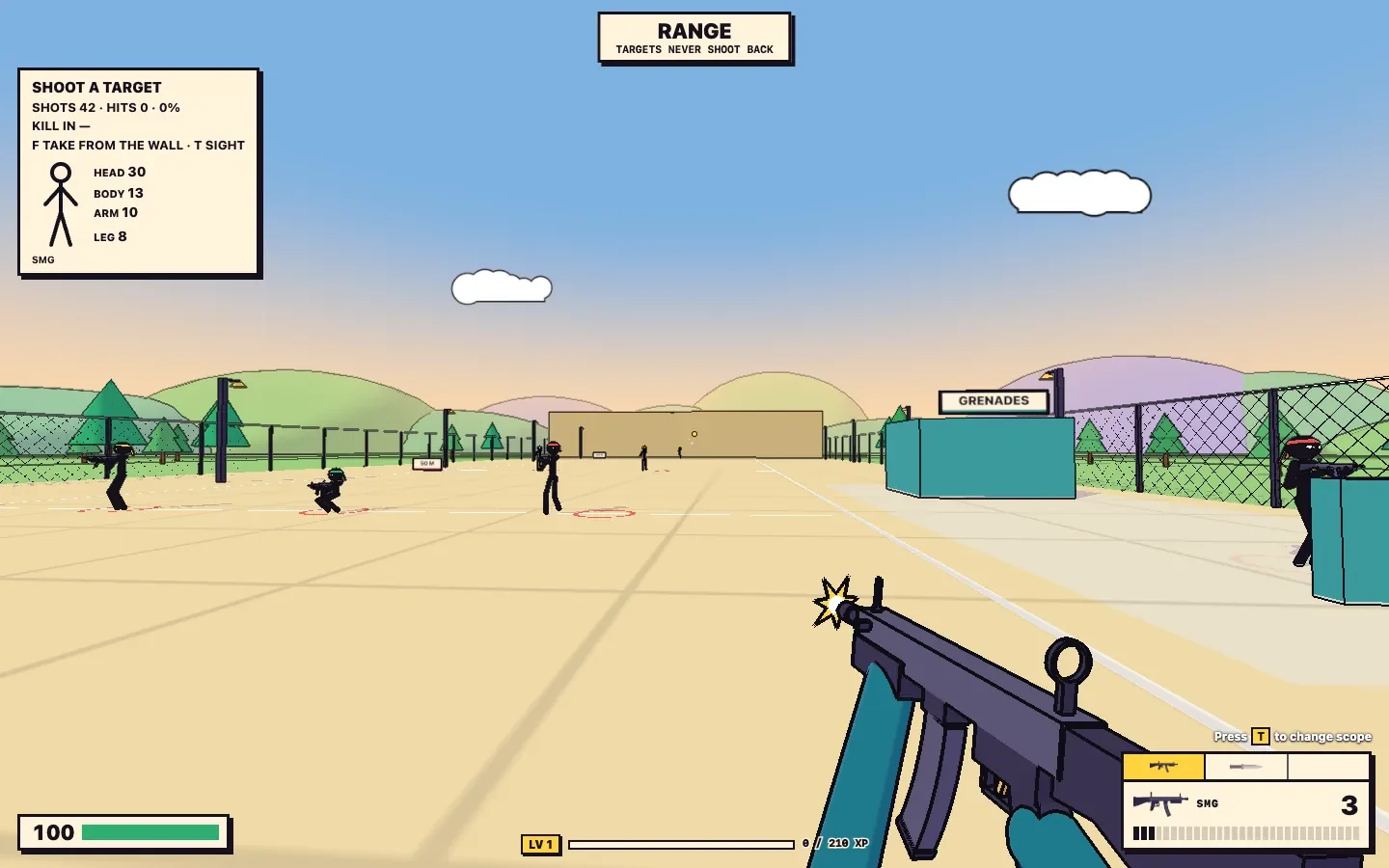
The practice range gives the damage system a concrete explanation. SMG hits at roughly 16 meters produced these values:
| Hit location | Observed SMG damage |
|---|---|
| Head | 30 |
| Body | 13 |
| Arm | 10 |
These values describe those range hits, rather than every weapon or distance. They nevertheless show why placement matters: a head hit can be worth several poorly placed rounds. A white hit marker and numerical damage feedback help distinguish a landed shot from an impressive-looking burst that missed.
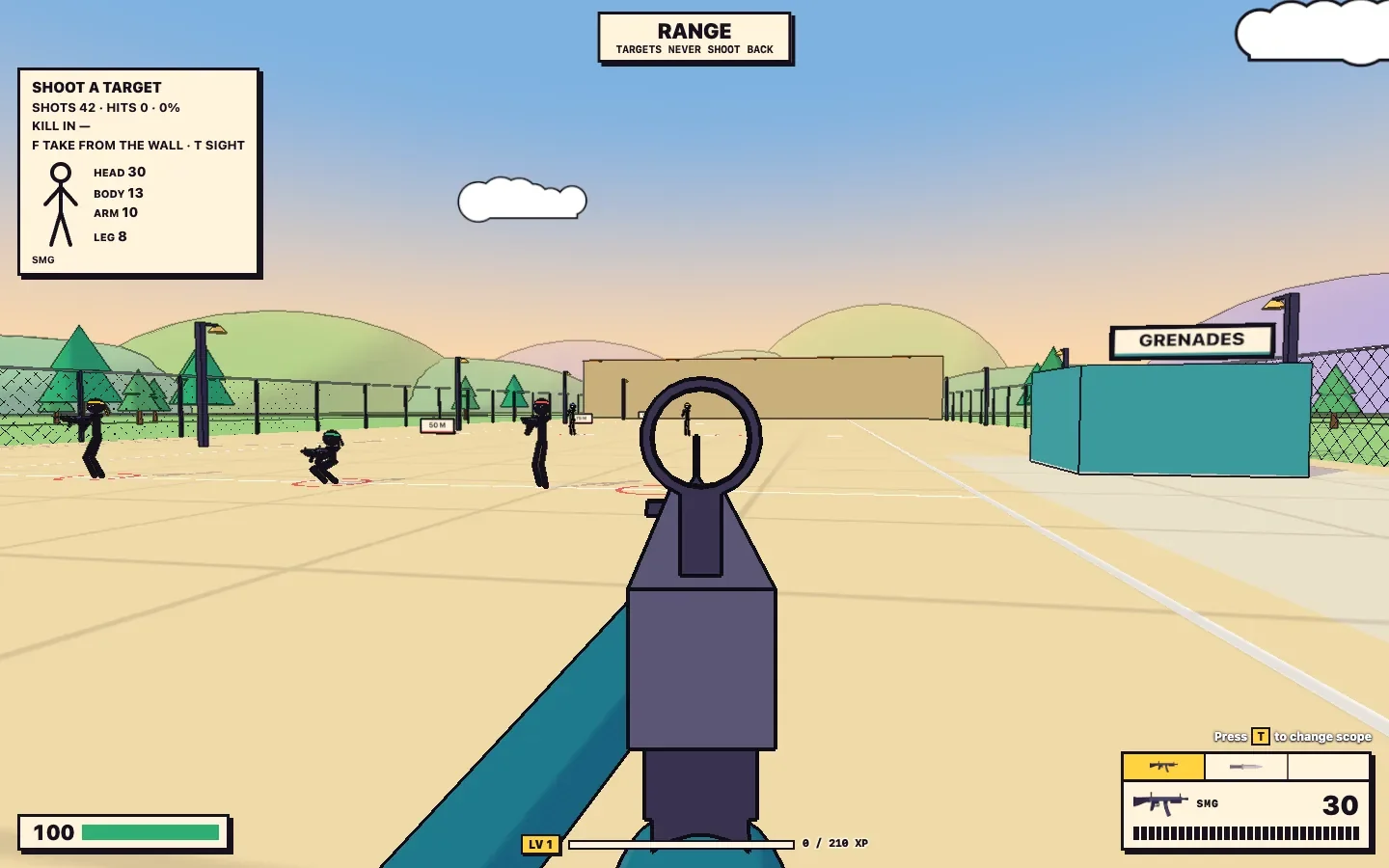
The M4 offers another starting point. It can be picked up from the range's weapon rack, and its firing cadence feels more measured than the SMG's. Changing to a red-dot sight with T gives you another aiming view to try. The difference is immediately useful for choosing what to practice, although it does not settle the balance of the wider arsenal.
Reloading makes positioning important even in a fast match. A partially spent SMG magazine returns to 30 after the reload, but continuous fire empties it quickly. Returning behind cover before pressing R is a better habit than discovering an empty magazine halfway across a courtyard.
Start in the Practice Range
The range is one of StickFrag's strongest onboarding features. It uses the same movement, weapons, and visual language as the multiplayer maps, with targets, cover, distance markers, and an armory. Targets do not shoot back, leaving room to concentrate on aiming.
Its HUD tracks shots, hits, accuracy, and damage by body region. That turns practice into something more useful than firing at scenery. You can see whether the SMG's recoil is carrying rounds above a target, whether an apparent torso shot actually struck an arm, and how another weapon changes your firing rhythm.
Move toward the weapon rack to find pickup prompts, use F to take a weapon, and try the available sight options. Distance markers extend the exercise beyond a single close target. Movement and jumping also belong to the same controls you will use in a match.
A few minutes here can make the first public game less confusing. Fire controlled bursts, reload, adjust sensitivity, and compare an aimed shot with firing while moving. The range will not teach you every opponent's route, but it gives you a clearer idea of what your own inputs are doing.
Loadouts, Grenades, and a Kill-Gated Heavy Slot
The Team Deathmatch equipment interface separates primary, sidearm, grenade, and heavy slots. Its primary selection includes SMG, M4, AK, shotgun, and sniper options, giving players different ways to approach the next life.
The heavy slot has a condition worth reading. A selected machine gun displayed a 0/3 counter and a requirement for three more kills. Seeing a weapon in the selector therefore does not mean it is immediately usable. The counter creates a small goal within the match, while ordinary equipment gets you into the fight.
Grenades also connect combat with the progression system. In a private bot match, using the touchscreen grenade control led to a bot kill and advanced the visible grenade challenge to one of two. The challenge counter makes the result easy to recognize without having to infer success from an explosion alone.
Knife, bandage, and weapon-pickup controls sit alongside the main gun actions. There is enough equipment to explore over repeated sessions, but learning movement, reload timing, and one primary weapon is a more manageable first step than trying to master every slot at once.
Team Deathmatch, Gun Game, and Five Map Choices
The private-room picker offers Team Deathmatch, Free for All, and Gun Game, with Yard, Town, Farm, Depot, and Port as map choices. Team Deathmatch provides the clearest entry point for learning team colors, respawning, and the relationship between cover and open lanes.
Gun Game changes the incentive from settling on a favorite weapon to working through a sequence. Its opening gives you an M4 and displays “2 kills to AK.” The HUD places weapon progression beside the ammunition display and tracks the leader's progress toward 21. The mode's published rules describe a sequence that finishes with a knife kill. The opening alone establishes its appeal: adapting to the next weapon becomes part of the objective.
Yard is easy to read through its landmarks. Low pink and turquoise barriers divide spaces between small buildings, with a water tower helping you orient yourself. Its open courtyard is useful for understanding where the fight is happening, and dangerous when you cross it without checking nearby cover.
Port gives the action a more industrial setting, with shipping containers, warehouse walls, and structures that break up sightlines. Both distant sniper fire and close shotgun encounters occurred in the public session there. Looking down the long lane is only part of staying alive; nearby corners still deserve attention.
Town, Farm, and Depot add urban, rural, and railway settings to the selection. The strongest practical distinction in the played maps is already clear: recognize the landmarks, learn where open routes meet cover, and change your approach when a death reveals an angle you overlooked.
Bots Make Small Rooms Useful
Bots help a new room become playable before a group of friends has assembled. Enabling them in a private room produced movement and fighting immediately, while the public session mixed them with human participants. Their visible labels let you judge the room you actually joined.
They can punish an exposed route. Private-match deaths included an AK opponent at 17 meters and a shotgun opponent at nine meters. That makes them useful for learning where you are vulnerable, without establishing that their decisions match experienced human players.
For a small multiplayer game, this is a practical feature. A quiet session can still offer targets and pressure, and friends can join an active room instead of gathering in an empty arena. Bot activity should not be mistaken for proof of a large human population or consistently busy matchmaking.
Phone Controls and Cross-Device Private Rooms
The mobile matchmaking rule is specific: public phone matches pair mobile players together, while private rooms allow phones and computers to play together. That gives touchscreen players their own public pool and preserves mixed-device play for friends.
The private-room flow worked across separate desktop and phone-sized touch browser sessions. Both nicknames appeared on the same scoreboard. The touch session could move with the left stick, turn by dragging, fire from the on-screen button, and reload a partially spent SMG magazine.
The landscape interface includes dedicated aim, fire, jump, crouch, and reload buttons, with additional equipment controls near the bottom. This is a substantial amount of interface around the play area on an 844-by-390 viewport. An additional fire control on the left gives players another possible finger arrangement.
The layout editor addresses that crowding directly. It lets you reposition buttons and adjust their size and opacity, so the default positions need not be the final arrangement. Configure the controls before concentrating on a fight: health continued dropping during layout editing, and the character could still be killed.
Those checks establish working touch actions and a shared private room in the browser test. Sustained frame rate, battery use, heat, and comfort on a physical phone remain device-specific questions. The promising part is the functional design: mobile players get dedicated controls and a clear rule for joining friends on computers.
Comic-Book Presentation and Connection Quality
StickFrag's art works because its pieces belong together. Thick outlines, flat colors, halftone textures, simple clouds, and tubular characters carry from the locker to the maps and weapons. Ink marks and exaggerated ragdolls fit the setting, keeping combat feedback consistent with the cartoon world.
Colorful barriers and large structures also help navigation. A water tower or warehouse wall is easier to remember than an interchangeable stretch of scenery. The limitation is target size: thin stick figures can still be difficult to track at a distance, especially when they disappear behind cover.
The desktop frame counter was around 140–160 fps during the session, while the European matches reported roughly 250–290 ms of latency. These are local observations, not a benchmark for another computer or connection. They illustrate why checking frame rate alone is insufficient for an online shooter: rendering speed and network delay describe different parts of the experience.
Sensitivity, graphics quality, scoped aiming, and HUD options give players some room to tune the presentation. A nearby server and a stable connection still matter when judging how a live fight feels.
Results, Cosmetic Packs, and Returning for Another Match
The locker offers body colors, headband colors, hats, levels, and card packs. Daily challenges add small goals beyond the team score, including grenade kills, a kill streak, finishing Gun Game, and earning XP.
A completed private Team Deathmatch round led to a results screen showing kills, deaths, and ping, with a +150 XP display and a card-pack reward. The next-map choices included Yard again, Port, Depot, and Town, followed by a countdown toward another match. That gives the end of a round a useful next step instead of dropping everyone abruptly back into setup.
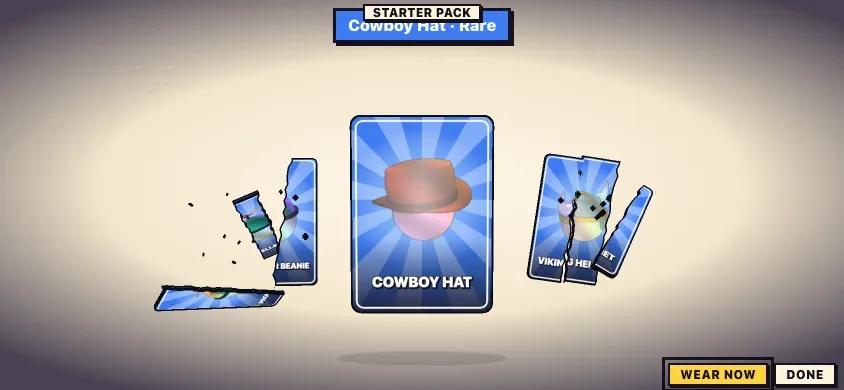
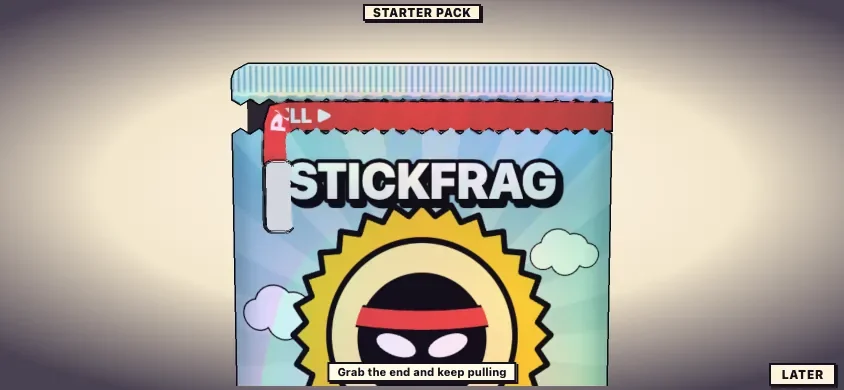
Back in the locker, the starter pack uses a pull-tab opening and card reveals. A rare Cowboy Hat could be revealed and equipped, with an on-screen worn confirmation. The reward is cosmetic, but it gives the otherwise simple stick figure a recognizable change after a match.
Optional progress saving is separate from getting into the game. The current update notes describe email-based saving across browsers and phones, while a nickname is sufficient to start playing. Long-term reward pacing is a separate consideration from the initial pack and level feedback.
Some older homepage copy trails the current interface, particularly around mobile availability and player counts. The live room picker and dated updates are more useful for understanding the present selection. Another practical browser detail is that joining a different match in a second tab with the same player profile disconnects the first session; separate devices or profiles are needed for independent players.
A Good First Session
- Begin in the range. Adjust sensitivity and check where your shots land before adding enemy fire.
- Use short SMG bursts. Correct the upward climb instead of holding fire through every encounter.
- Reload behind cover. The 30-round magazine goes quickly during sustained fire.
- Read the death panel. Weapon and distance can explain which route or engagement to change.
- Arrange phone buttons before fighting. The menu and layout editor leave the match running.
- Create a private room for mixed devices. Public phone matchmaking follows its own rule.
- Check ping as well as fps. Smooth rendering cannot tell you the quality of the server connection.
StickFrag suits players who want a recognizable FPS loop with little setup and a strong visual identity. Its best features are practical: joining an ongoing fight, understanding a death, practicing with useful feedback, and bringing friends into a room across devices. The narrow targets and recoil give those short sessions something to learn, while the range and fast respawns make another attempt easy to reach.
For another multiplayer browser shooter with an unusual cast, Chicken replaces stick figures with armed poultry and a pixel-art setting.

![AY in Noggin's RL, GL Game Redux [ 40 Players ] game cover](https://fortcade.com/wp-content/uploads/2026/10/ay-in-noggin-s-rl-gl-game-redux-40-players-225x300.webp)