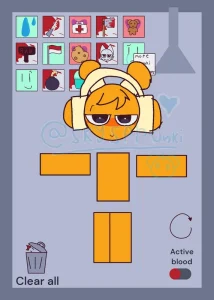
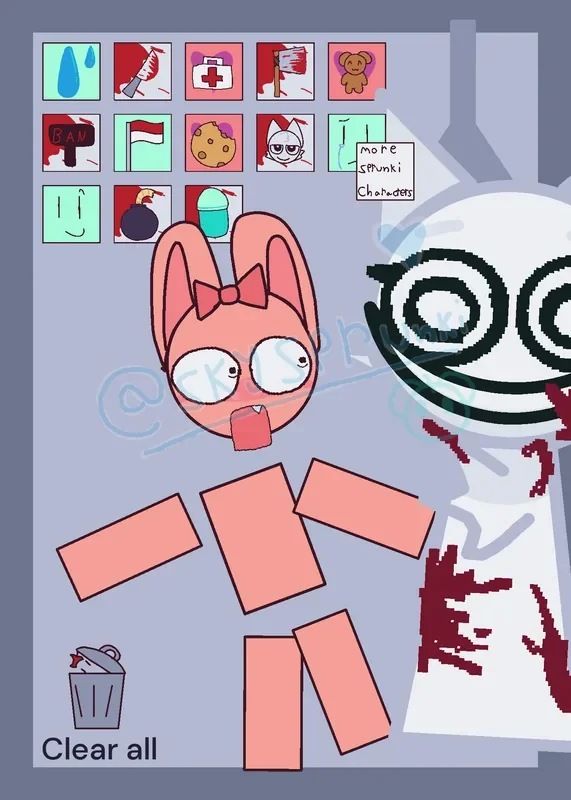
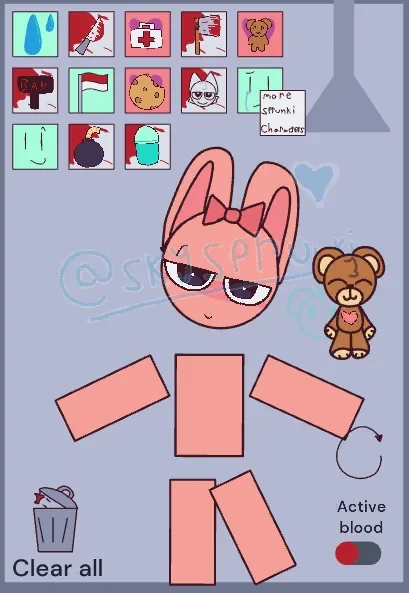
Sprunki Pinki Ragdoll is a physics sandbox by @Jaidenofc where you drag Pinki’s separate body pieces, add props, and watch her expressions change. Pulling her oversized, bow-topped head does not bring a neatly connected body along with it: her torso and blocky limbs tumble and collide independently. There are no score targets or timed missions, so each session revolves around trying objects and observing their effects.
Its Kick the Buddy-style appeal comes from experimenting with props and character reactions. Cookies, medical kits, sharp tools, and a sudden Wenda appearance produce different responses within the small portrait playground. The pastel colors sit alongside cartoon injury marks and blood effects, giving the game a darker tone than its pink character initially suggests.
Player comments reflect different approaches to the sandbox. One describes taking care of Pinki, while others call her cute, apologize, or joke about her taking Wenda’s knife. These reactions echo the choices available in the playground: feed her, apply bandages, or experiment with the more destructive props.
 4 Game Screenshots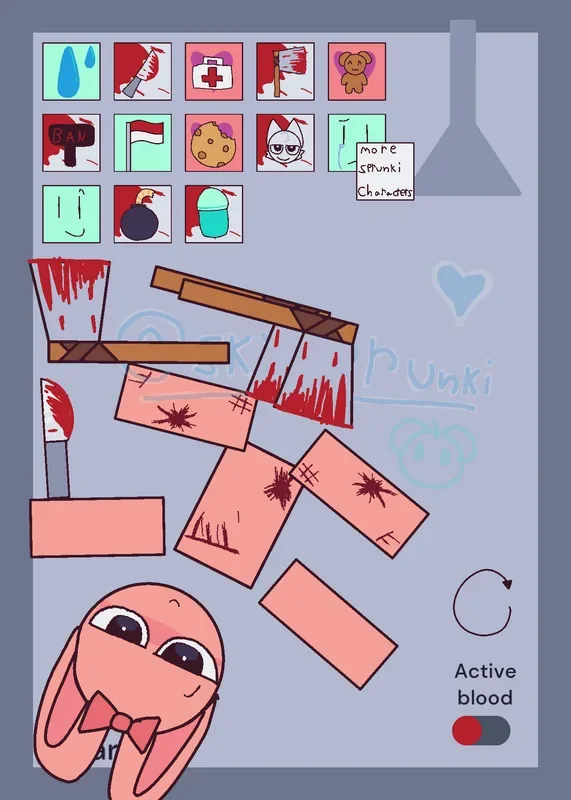
How to Play Sprunki Pinki Ragdoll
Press and hold Pinki’s head, torso, or a limb, then drag it across the play area. Releasing a piece lets it fall and collide with the others. Draggable props can also be moved into position, allowing you to test what happens when an object touches a particular body part.
The toolbar in the upper-left corner provides the main props and interactions.
| Action | Input | Result |
|---|---|---|
| Move Pinki or a draggable prop | Press, hold, and drag | Moves the selected piece and causes collisions |
| Add a prop | Click or tap its toolbar icon | Places the selected object in the playground |
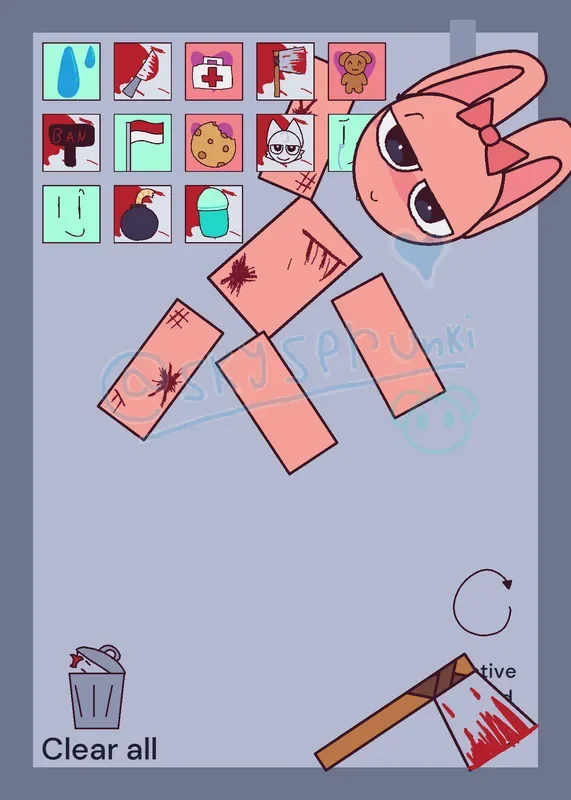
| Clear ordinary spawned items | Select the trash-can icon | Removes those items without restoring Pinki’s appearance |
| Restart the scene | Select the circular arrow | Restores the initial arrangement and character state |
| Toggle blood effects | Select the “Active blood” switch | Changes whether blood effects are enabled |
Clearing items and restarting serve different purposes. Removing a knife does not erase the marks it has already left. Use the circular arrow when you want to start again with Pinki restored.
Cookies, Bandages, and Wenda’s Entrance
A cookie disappears when it touches Pinki’s head and briefly changes her mouth expression. Bringing a medical kit into contact with her head produces a bandaged appearance. A knife can leave scratches and dark red marks on her body pieces.
These reactions make prop choice matter. Moving a cookie toward Pinki’s face produces a different result from dropping a sharp object onto a limb, even though both use the same simple dragging controls. The medical kit’s bandaged appearance also gives it a visible purpose beyond adding another object to the scene.
Pinki’s large face makes the Wenda interaction especially easy to read. Selecting the Wenda icon brings a large, grinning white character into the scene while Pinki’s eyes widen and her mouth opens. The reaction provides a sudden interruption to the slower process of moving pieces and testing props.
The “Active blood” switch controls blood effects. The toolbar still contains sharp objects and violent imagery, so the switch should not be mistaken for removing every injury-related element.
More Sprunki Characters and Replay Value
The “more Sprunki Characters” sign opens a directory for separate Castle creations. Its return arrow takes you back to Pinki’s playground; the directory should not be counted as an included roster of unlockable characters.
Sprunki Pinki Ragdoll works best for short sessions of experimenting with props, expressions, and loose physics. Once the individual reactions become familiar, continued play depends on enjoying the process of arranging, scattering, and resetting the pieces. Players looking for levels, challenges, or lasting progression will find a limited amount to pursue.