A lonely Black Sprunki sits inside a cardboard box in an alley while rain runs down the wall, presenting players with a single question: "will you adopt black?" Selecting "Yes" opens Take Care of Black Sprunki, transitioning the scene into a compact virtual-pet home filled with domestic care routines and minigames. Choosing "No" instantly abandons that setup for a stark "TAP" screen, shifting the muted blue-gray palette to black and deep red imagery before ending on a "Bad ending..." message. This contrast sets the foundation for the game, balancing gentle pet interaction against a quick visual scare.
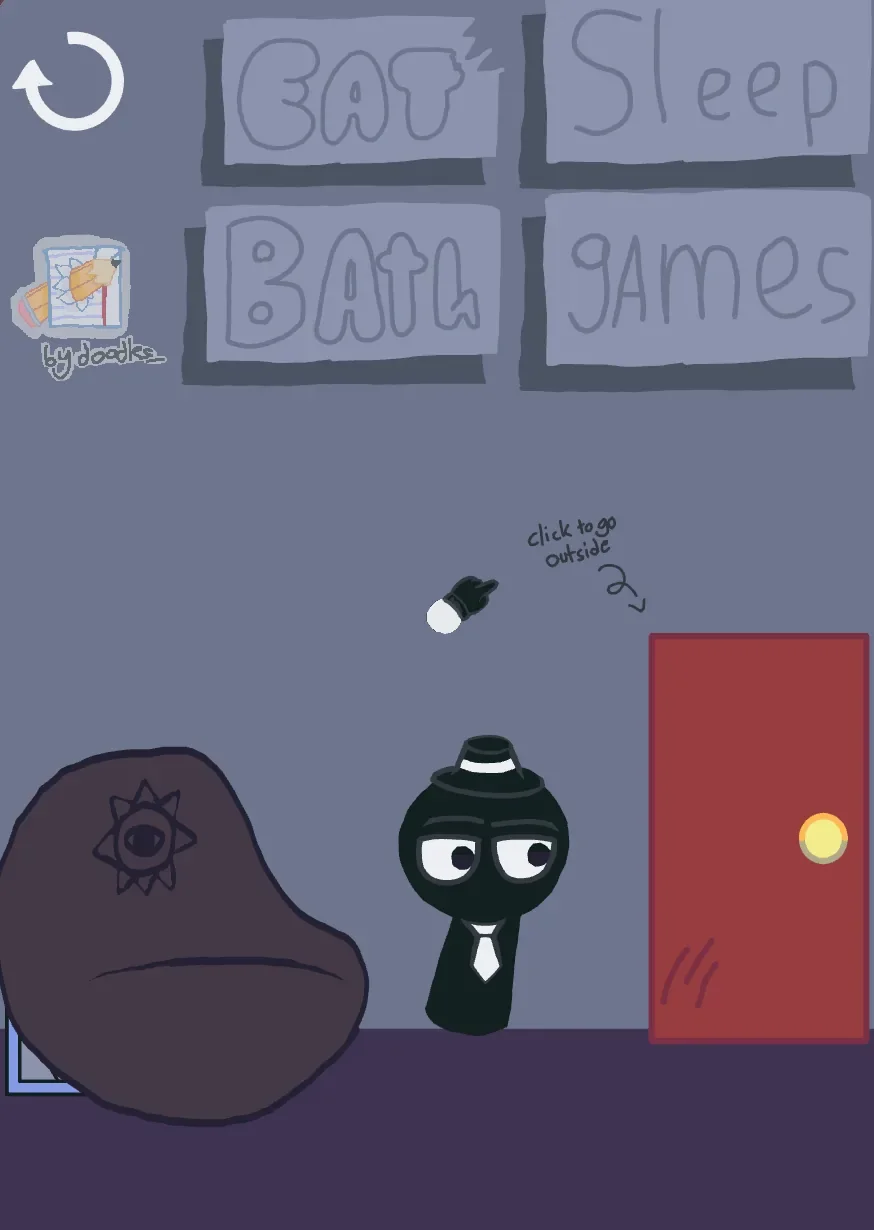
Created by @Mr_Dawa, the game relies on character expression and distinct visual compositions rather than strict simulation mechanics. Black Sprunki himself remains recognizable across every room by his heavy-lidded eyes, white tie, and small hat. Inside the living space, large handwritten signs mark activity stations, allowing players to navigate between eating, bathing, resting, and playing without complex menus.
 5 Game Screenshots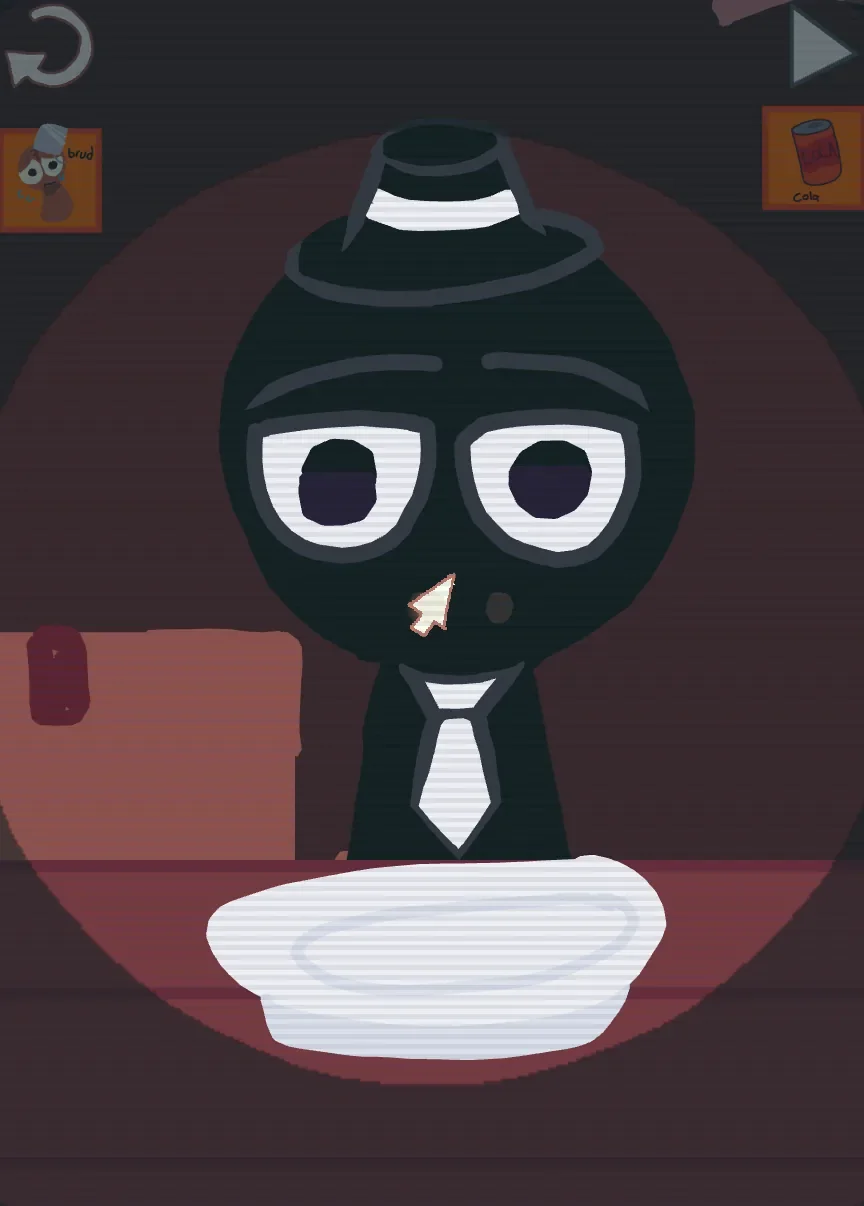
Domestic Routines and Outdoor Exploration
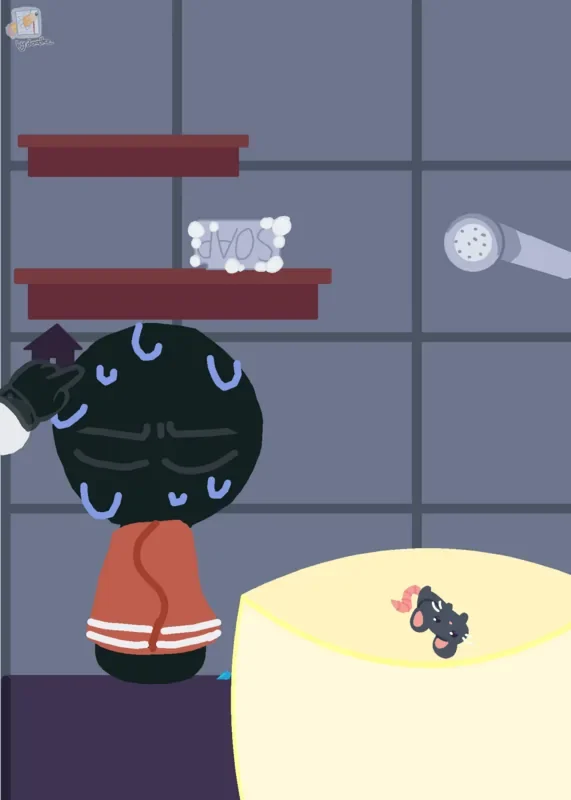
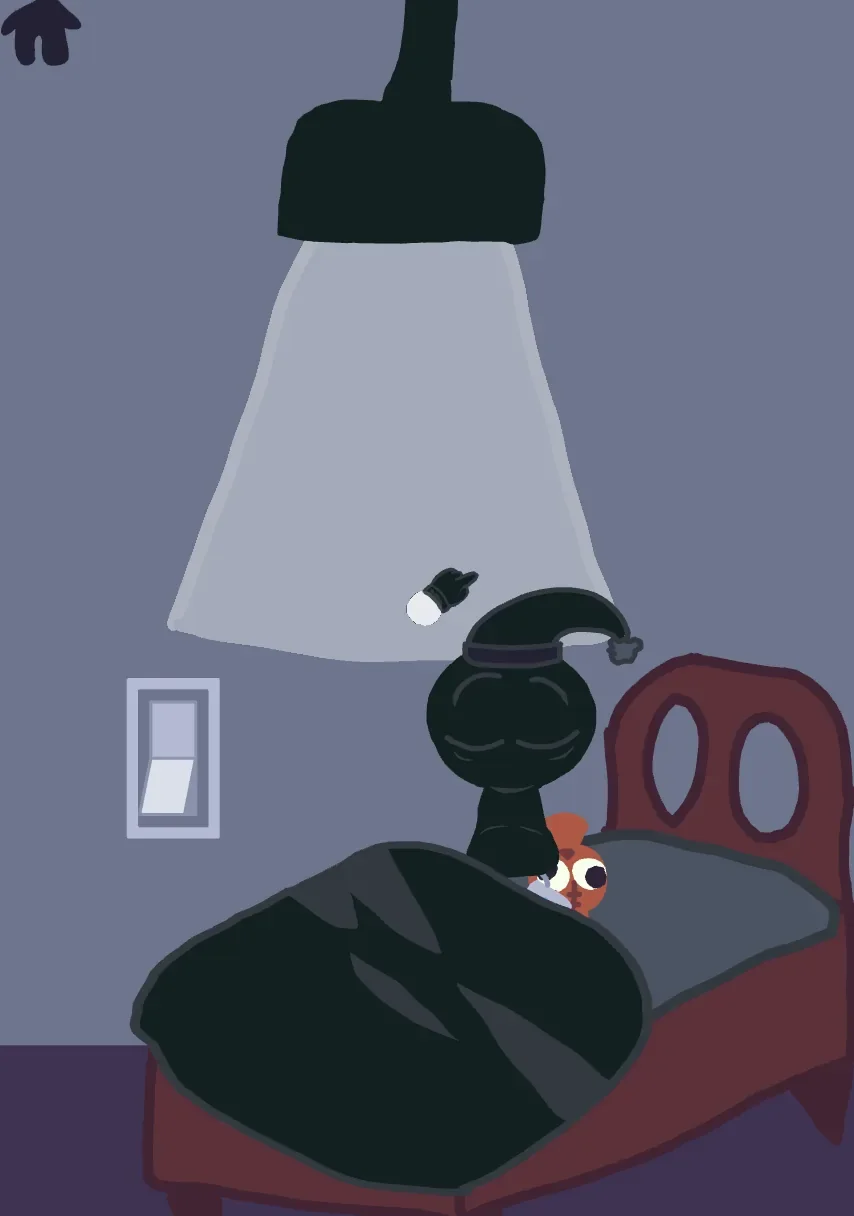
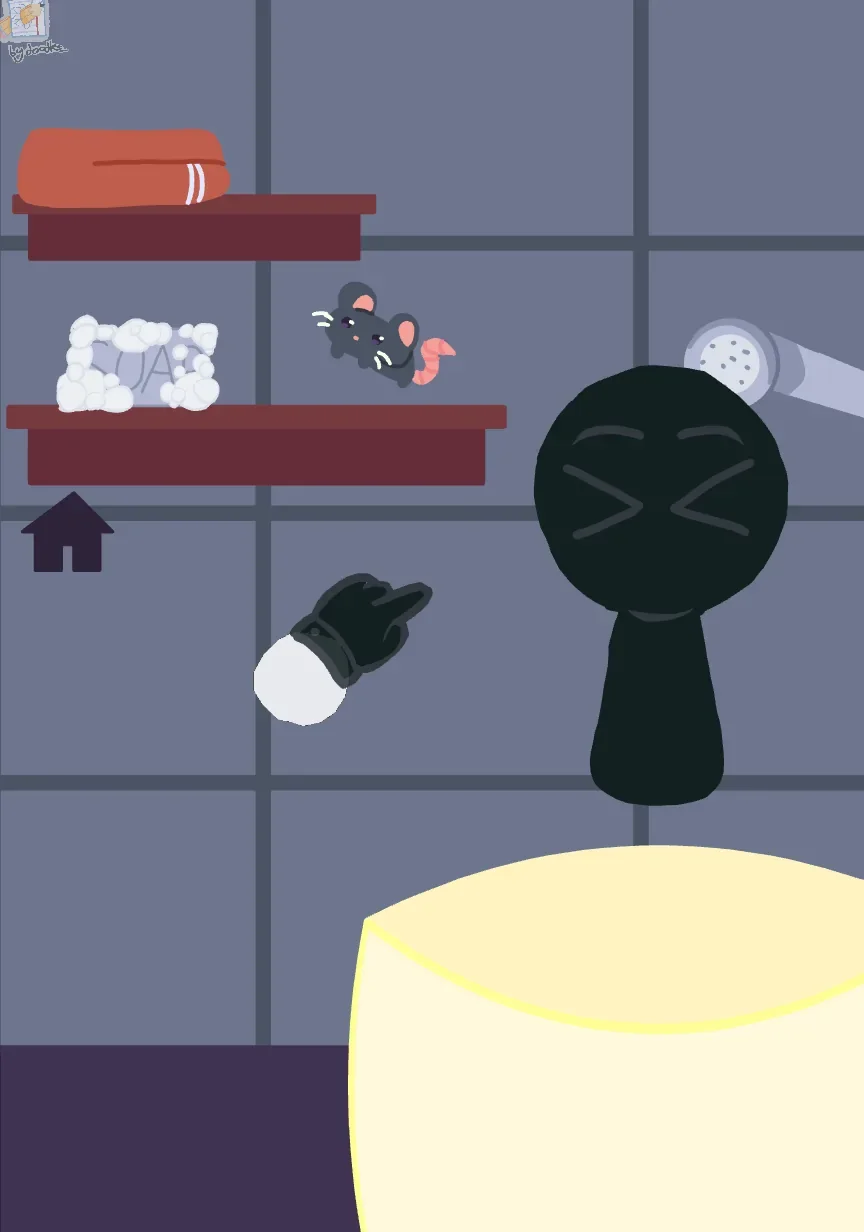
Rather than forcing players to monitor continuous stat meters for hunger or hygiene, the care activities function as standalone interactive vignettes. In the feeding area, Black sits behind a bowl with food items placed nearby ready to be moved into position. The bath scene moves the character into a tub framed by a towel, soap, and a shower head, while the bedroom scene dims the lighting beneath a cone of lamplight as Black settles under a thick blanket. Because there are no numerical stats pressuring the player, each scene relies on Black's changing facial reactions and body positioning to communicate feedback.
Stepping through the front door takes the game in a different mechanical direction. The outdoor segment opens onto a grassy landscape dotted with houses and trees, shifting the interface to direct movement controls. A virtual directional stick sits on the left side of the screen while a dedicated jump button occupies the right. While this outdoor section lacks the labeled goals of the indoor care stations, it expands the physical environment beyond the house.
Touch Interactions and Scene Controls
Because each room and minigame features its own layout, the interaction scheme changes depending on the active scene. The game relies primarily on tap and drag inputs designed for touchscreens.
| Action | Input | Result |
|---|---|---|
| Select activity or branch | Tap or click on-screen label | Opens care room, minigame, or story path |
| Interact with care items | Tap or drag visible item | Applies food, bath tools, or room props |
| Explore outdoor yard | Virtual stick and jump button | Navigates the grassy exterior environment |
| Play Flappy Bird minigame | Repeated taps or clicks | Keeps character airborne to pass between pipes |
| Paint on drawing canvas | Drag cursor across canvas | Applies selected color and brush size |
While the primary scene buttons are physically large enough for touch screens, navigating the interface can present minor friction. Several room labels feature thin handwritten lettering, and certain utility icons are small. Furthermore, individual care routines rarely provide text instructions, leaving players to figure out interactive objects based on context clues or the shape of the cursor graphic. When an interaction stalls, players can rely on a reset arrow or home icon to restore the screen.
Minigames and Unfinished Phone Apps
Accessing the in-game smartphone opens a grid of app icons that host secondary activities. The most complete arcade experience is a Black Sprunki adaptation of Flappy Bird. Players tap repeatedly to guide the floating character between scrolling pipes against a pale mountainous background while a two-digit counter tracks progress. Missing a gap triggers a Game Over screen with Retry and Go back options, offering a traditional score challenge that contrasts with the unhurried care routines.
Creative tools provide an alternative to arcade challenges. The drawing app provides a blank canvas equipped with brush size controls, a bright and neutral color palette, a reset button, and a snapshot feature for saving finished art. Another utility acts as a character composition tool, allowing players to arrange eyes, limbs, and body shapes across the screen alongside a camera icon.
While the phone interface advertises additional options—including a puzzle mode and care screens for other Sprunki characters—several icons do not lead to functional scenes in this build. Player feedback frequently contextualizes these missing features by noting that the title remains under active development. Evaluated alongside other titles on Fortcade, the available minigames provide decent variety, even if incomplete phone apps leave part of the menu unfulfilled.
The Consequence of Refusal
The opening choice to reject or adopt Black remains one of the game's most effective structural decisions. Skipping the adoption prompt does not simply return to a title screen; it triggers an unsettling sequence that reframes Black Sprunki from a helpless, tired creature in a wet cardboard box into a threatening figure. The transition into dark red imagery achieves its eerie effect through atmospheric visual changes rather than graphic violence.
This abrupt divergence gives the initial prompt genuine weight. By tying the pet care gameplay to a positive choice while punishing refusal with a sudden bad ending, the narrative framing justifies itself immediately. While individual interactions lack deep long-term progression, the combination of expressive character art, varied activity vignettes, and a memorable opening twist ensures this brief collection leaves a strong impression.